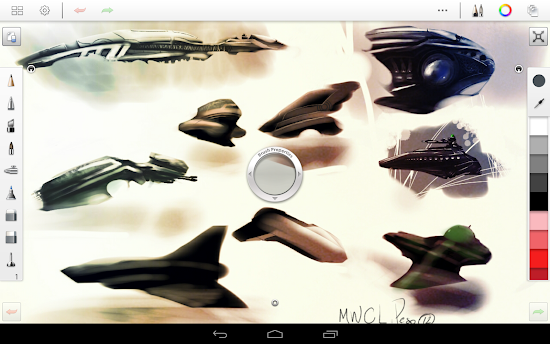
Description Find out for yourself what has made SketchBook Pro the industry standard for digital sketching!
Autodesk SketchBook® Pro is a professional-grade paint and drawing application. With the same paint engine as the renowned SketchBook Pro apps, it delivers a complete sophisticated set of sketching & painting tools through a streamlined and intuitive user interface.
Whether you are an occasional doodler or a professional illustrator, SketchBook Pro transforms your tablet into a powerful digital sketchbook.
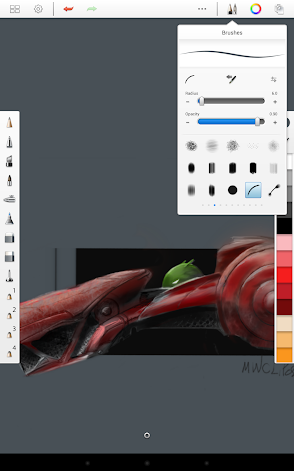
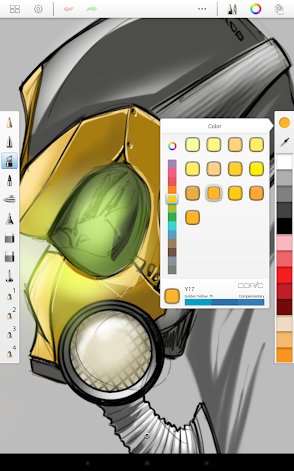
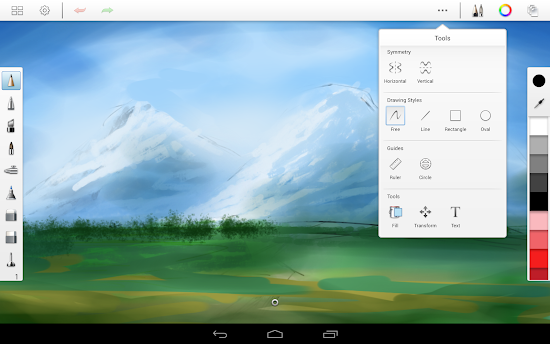
Features: •Full Screen work space with support for any device orientation (only on displays 7" or greater) •Create large canvases (up to 6.5 MP on selected devices) •Full multi-touch support •Dynamic symmetry •Comprehensive Brush Library with over 100 presets you can customize •Multiple manageable layers •Gallery to store work in progress •Copic Color Library •Customizable UI •Pen Only Mode (For devices supporting Pen input) •Pen Pressure sensitivity •Share your art directly from inside SketchBook to deviantART, the largest online social network for artists and art enthusiasts •Browse the Autodesk-SketchBook group on deviantART from the in-app Gallery Apps Details -Price: $2.99 -Version: 2.9.2 -Size: 11 MB -Required android: 4.0 and Up -Developer: Autodesk Inc.
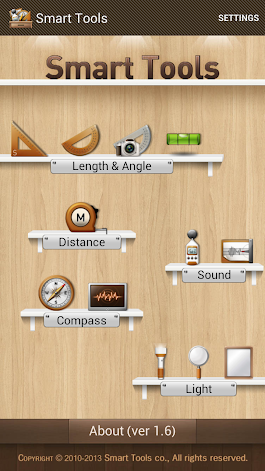
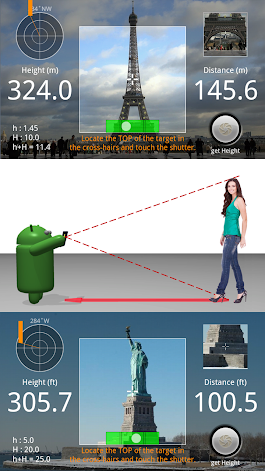
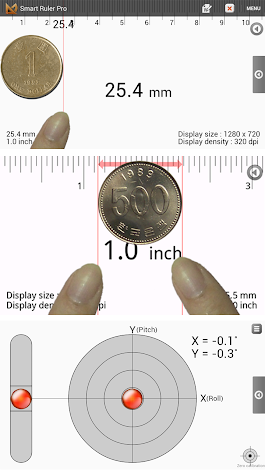
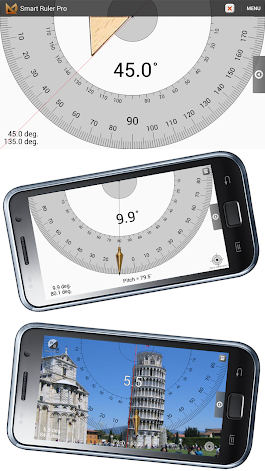
Description Smart Tools is a complete package of 5 app sets. It includes 5 Pro sets for a total of 15 tools. In a word, All-in-One. Set 1: Length, Angle, Slope, Level, Thread - Smart Ruler Pro Set 2: Distance, Height, Width, Area - Smart Measure Pro Set 3: Compass, Metal detector, GPS - Smart Compass Pro Set 4: Sound level meter, Vibrometer - Sound Meter Pro Set 5: Flashlight, Magnifier - Smart Light Pro
For more information, see the manual for each of the apps, watch the YouTube video and visit the blog: http://androidboy1.blogspot.com/ Even more tools will be added soon. Next will be Barometer and more. Do you want to get more tools and features? Please send an email. I'll reply to it ASAP. I hope my apps are useful to your SMART Life. Thank you.
* A magnetic sensor is required. So this app cannot support several android devices (e.g HTC Desire X). ** Off-line support (for Wi-Fi only devices) : Open this app several times with connections, you can open it without connection. *** This app had been published only on Google Play and Androidpit.
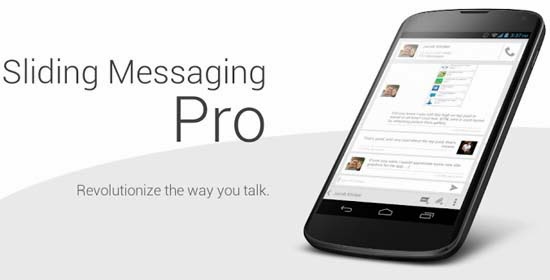
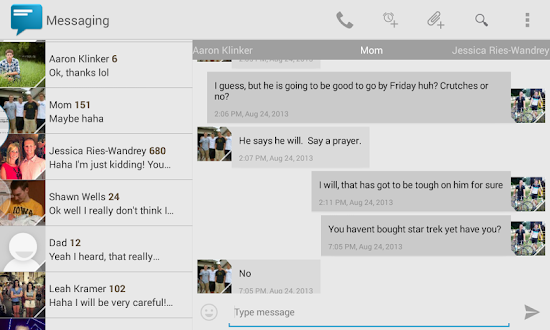
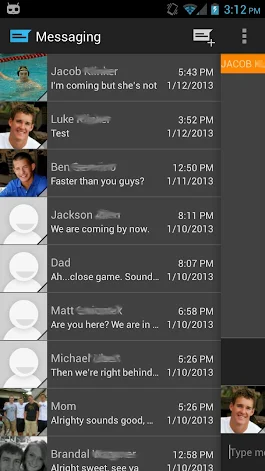
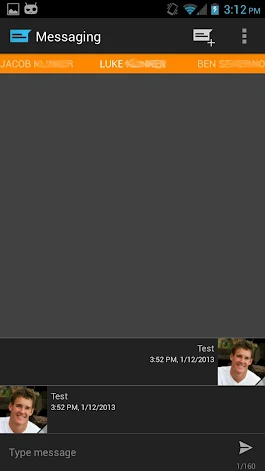
Description Easily manage text messages in a new and up to date format compliant with the Android design guidelines and visually based on the stock messaging app from Google, with added features.
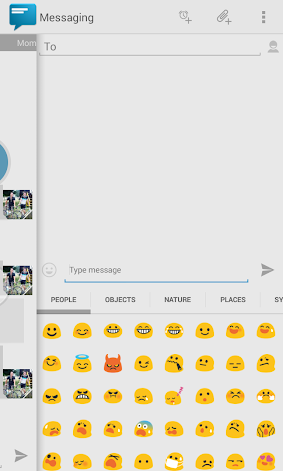
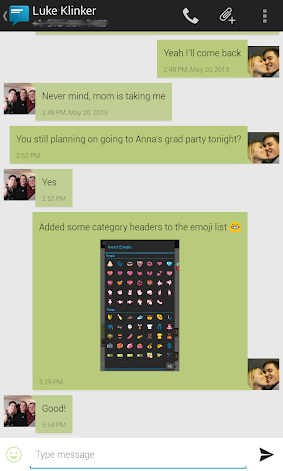
Features: - Easily switch between conversations by dragging out the sliding menu on the left side of the screen. - Start a new conversation by sliding out the menu on the right side of the screen - Manage old messages with a single click - Choose between 8 different themes or make your own from scratch - Emoji support (1300+ to choose from) - Quick reply popup - Quick message templates - Multi-window support for Galaxy Note - Light Flow support
Pro Features: - Support for sending and viewing picture and group messages - Share via dialog for sharing content such as web links, etc - 6 additional themes - Option to choose background images for conversations menu and message list - Custom text color options - Custom animations - Widget - Individual notification settings - Contact blacklisting settings - More coming in the future...
If you are having problems receiving notifications, you may need to uninstall 3rd party messengers such as Go SMS. Please remember the app is still in beta and evolving every day. Let me know if something is missing or not working how you feel it should and I will do my best to correct it!
Credits: - Max Reich for the icon - Jeremy Feinstein for his SlidingMenu on GitHub - Google for their stock messaging app off of which this app is visually based - Alexey Slavutsky for Russian translation - Felix Hopfer for German translation - Spadewalk for French translation - Antonio Porcelli and Enrico Speranza for Italian translation - Tobias Prahl for Swedish translation - Alireza Afkar for Persian translation - Kamil Wojtczyk for Polish translation - Yusuf Rende for Turkish translation - Cyanogenmod and Google for emoji icons
What's New - MMS fixes (this should finally fix up displaying images) - Better in-app notifications for hangouts and classic UIs - New emoticons - New scale-in sending and receiving animation - Better support for viewing video and audio MMS messages - Option to disable drafts - Option to remove numbers from the widget - Drag to reorder templates - Mark all conversations as read overflow menu option - Faster emoji load time when inserting - Performance improvements - UI improvements - Bug fixes Apps Details -Price: $1.99 -Version: 8.00 -Size: 5.4 MB -Required android: Varies with device -Developer: Jacob Klinker
Description The original custom auto brightness solution for Android.
"To put it simply, Lux kicks the pants off of Android’s stock brightness manager, and it’s worth every cent." - Lifehacker "Lux is a third-party app that allows you to easily calibrate your phone’s brightness sensor, saving you battery power and reducing eye strain if your phone is normally too bright in dark rooms." - HowToGeek
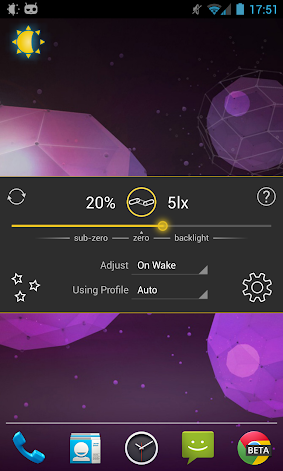
Lux isn't your ordinary brightness app. It intelligently adjusts the brightness of your display based on the environment you're in. If you step into a dimly lit room, Lux will automatically lower the brightness of your display to make it not only comfortable to read, but to also preserve battery power.
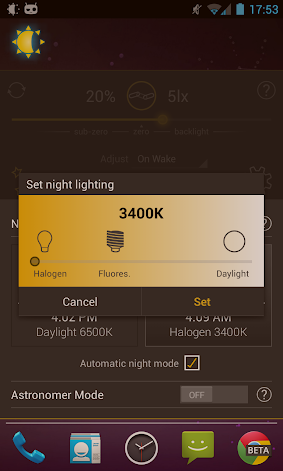
Lux is also able to adjust the screen temperature of your display automatically to make it appropriate for night usage. At sunset, you can have Lux automatically warm your display and switch to your Night profile. If you're an astronomer, you can enable astronomer mode to cut out harsh white light. If you have a root enabled phone, you may even be able to apply these enhancements at a low level with Lux's plug-in system.
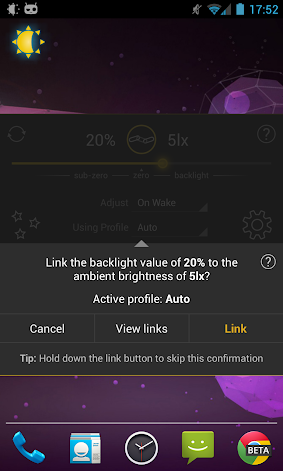
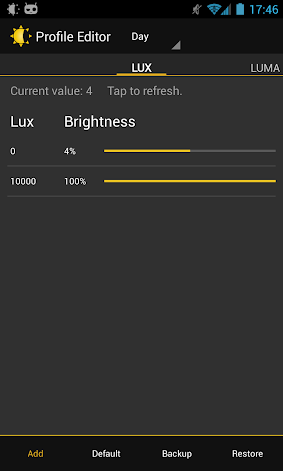
Perhaps the best thing about Lux is that you can teach it how to behave. If the backlight is too bright or dim for your liking, simply open the provided Dashboard, adjust the brightness slider to the level you desire, then hold the link button. Lux will use this new 'link' as a reference in future.
Give it a go! I want you to test Lux for more than the 15 minute refund period offered by Google. I understand that some devices may not have the best quality light sensor, and that you may need more time to play around with settings. If you find that Lux doesn't suit you after the 15 minutes is up, you can request a refund within a week of purchase via e-mail - no questions asked.
FEATURES ■ Stable, custom auto brightness with root plug-in support. ■ Use your ambient light sensor or camera(s) to read in ambient light. ■ Subzero brightness for night viewing. ■ Select between Auto, Day, Night, Car and Cinema light profiles ■ Automatic night mode. Change the colour temperature of your display for comfortable night time viewing. ■ Astronomer mode. Adds a red filter to your display to preserve the eyesight of stargazers. ■ Power-user settings such as choice of interpolation, filters, and linked sample editing. ■ Add app specific exceptions via sleep mode. ■ Customisable fade for backlight adjustments. ■ Tasker and Locale support ■ Battery efficient. ■ Backup to SD. ■ No ads or other nuisances. Note: Please disable other brightness apps before using Lux. The author is not liable for any issues caused when using this app.
PERMISSIONS TAKE PICTURES AND VIDEOS: Used to read in luma values if camera input is selected.
DRAW OVER OTHER APPS: Required for night/astro mode.
READ PHONE STATE: Required to prevent Lux from interfering with phone controls in Android 4.1.
MODIFY SYSTEM SETTINGS: Brightness is a system setting, as is toggling the default auto brightness.
RETRIEVE RUNNING APPS: Required to make the 'sleep list' functionality work, so Lux can disable itself when certain apps are in the foreground. Apps Details -Price: $3.54 -Version: 1.95 -Size: 1.7 MB -Required android: Varies with device -Developer: Vito Cassisi
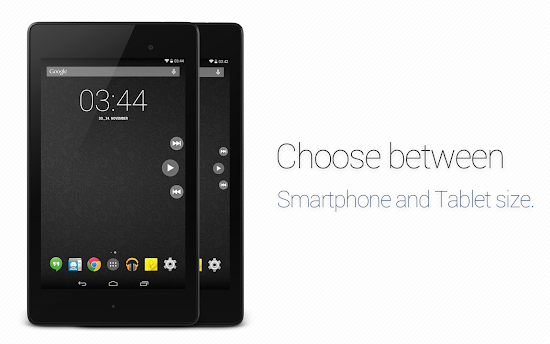
Description SidePlayer Pro - Music everywhere! XMAS SPECIAL! -30% UNTIL 26.12.2013!! ➨ AndroidPolice presentation: http://goo.gl/NSYPvA ➨ Chip.de App of the day (30.11.13): http://goo.gl/9UxLza ➨ AddictiveTips review: http://goo.gl/58Bhf8
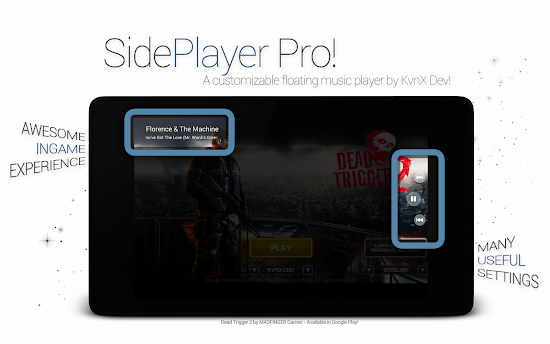
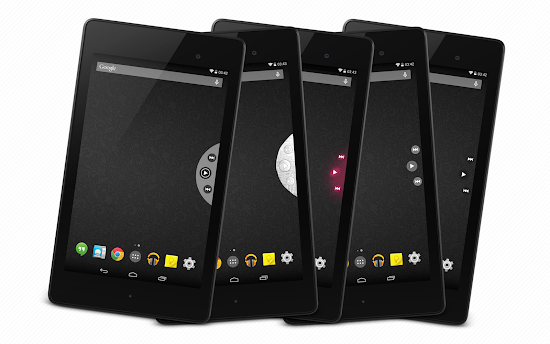
With this floating music player you can easily switch between songs. Just swipe or shake the music control in and turn on your favorite song. With another services you can activate meta informations or the quick control notification. You also can choose between themes or layout. And sooo much more. Just try it out.
Why this player and not via status bar? - There are a lot of devices which do not support the statusbar swiping in fullscreen mode - It is easier to swipe from left to right / right to left, especially on tablets - It is just looking awesome! - You can use it nearly easy & everywhere - If you are using it in a game you dont need to pause the game
Perfect game experience This app is made for gaming. It is just awesome and easy to switch between songs ingame without pause the game. With the shake gesture you can let the player show / hide and with one click you can turn on the next song while you are fighting f.e. agains zombies.
Some of the best functions: - Theme selection - Layout selection - Different animation - Services - Activation area - Gesture - Position ..... and so much more!
Some music-player you can control: - Google Play music - Samsung Stock music app - Apollo Music - Poweramp - n7player Music Player - PlayerPro - Sony Walkman music player ..... and so much more!
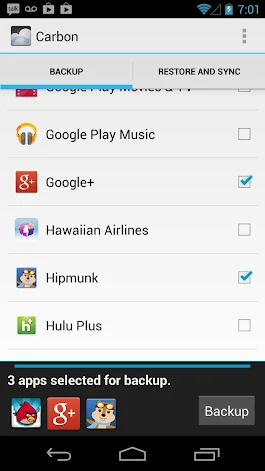
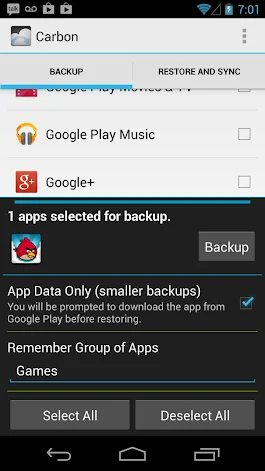
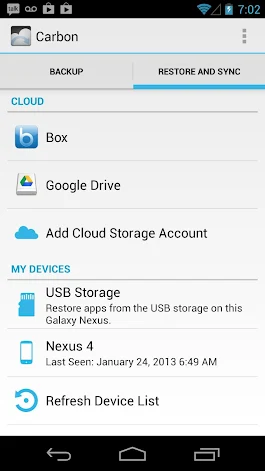
Description Helium is the missing app sync and backup solution for Android. Helium does NOT require root. All Android users can use Helium to backup and sync Android applications. Helium lets you backup your apps and data to your SD card or cloud storage. With Helium, you can sync app data from your other Android devices-- even if they are not on the same network. Set up backup schedules with Helium, and never lose data again.
Helium Setup 1. Install Helium on Android a) Root user? You're done! 2. Install and run Helium Desktop (link below) 3. Connect Android to computer. a) You may need to set your USB Connection Mode to "PTP". (Nexus 7, Nexus 10, etc) 4. Helium on Android should now be enabled.
Helium (Free) features: Backup and restore to SD card Backup and restore from PC
Helium (Premium) features: No ads Automatic Backup schedules Android to Android sync Cloud backup and restore * Dropbox * Box * Google Drive
Contacts - Backup call log and sms SMS - Backup call log and sms Accounts - Backup and restore from Drive Phone State - Uniquely identify phone for Android to Android sync Read Logs - Debugging and bug reports Wifi - Make sure scheduled backups only happen on wifi Apps Details -Price: $4.99 -Version: 1.1.1.1 -Size: 3.0 MB -Required android: 4.0 and Up -Developer: ClockworkMod
Description This is the ONLY remote desktop app that streams the whole PC or Mac screen to your Android tablet with smooth, high-res video and audio, allowing you to interact with your all applications, games, multimedia content, and files over Wi-Fi and 3G/4G networks. GO EVERYWHERE WITH JUST YOUR ANDROID DEVICE WITHOUT HAVING TO CARRY YOUR COMPUTER! Optimized performance for Android 3.x (Honeycomb) and 4.x (ICS) tablets.
Notice: #.If you have upgraded Splashtop Streamer on your computer to v2, please visit http://support-remote.splashtop.com/entries/21658867 to configure the settings.
Honors: * BEST of CES 2012 -- Best Mobile App * BEST OF CES 2011 Award * #1 Android Market "Top New Paid App" (June) * Top Android Market business apps in US, UK, Canada, etc. * #1 iPad, iPhone, Windows, Mac, webOS, etc. Fast and Easy Setup: * One-click access to your computer desktop with minimal setup * Install the free Splashtop Streamer on your computer - supports Windows 7, Vista, and XP, as well as Mac OS X 10.6+ (Snow Leopard or Lion is required for Mac users). * Application automatically finds your local computers, or sign in to your Gmail account on the app and Streamer to find your computers across the Internet Apps Details -Price: $9.99(19.99) -Version: 1.9.11.0 -Size: 3.5 MB -Required android: 3.1 and Up -Developer: Splashtop
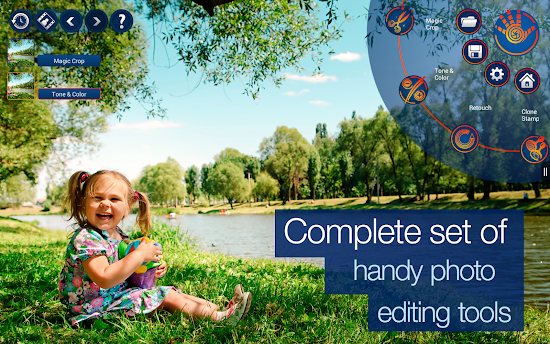
Description Welcome to creative photo editing! Handy Photo was designed for those with a strong passion for photo editing. The app is a perfect choice when it comes to correcting and enhancing photos from all possible angles.
Edit your photo with the Handy Photo's complete set of truly powerful tools and obtain the results that will definitely impress you and all those viewing your works of art.
Uncrop your photos in a unique way The tool is called Magic not accidentally. It enables the users to uniquely uncrop photos. No other app could do it. The Magic Crop is unique for one more reason. It allows straightening a crooked horizon without sacrificing the photo’s original size.
Let the objects in your photos come alive Is it possible to move the objects in your photos in just a few taps? The answer is yes when it comes to the Move Me tool. Carry the object to any other place or photo and be satisfied that it suits there to a tee.
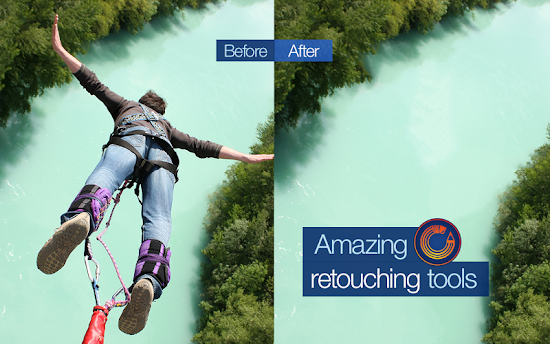
Perform photo retouching in the best possible way Remove all undesired objects and blemishes from your photos in a tap. Mobile retouching has never been so fast and easy.
Color and tone balance your photos Thanks to a complete toolset for adjusting color and tone of photos, you can properly balance your images’ Brightness, Contrast, Saturation, Warmth, Shadows, Highlights, etc. levels to make the photos look vivid and natural.
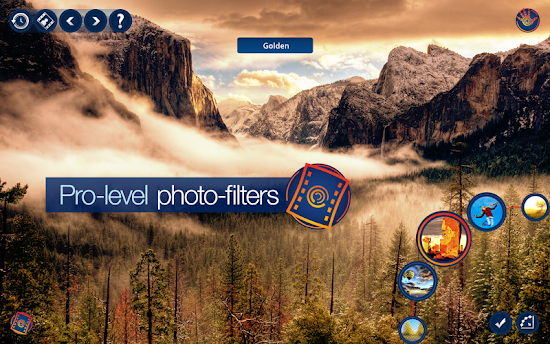
Apply stunning photo filters A total of more than twenty filters, namely Black and White, Bleach Bypass, Color Standout, Cross Process, Dramatic, Duotone, Fog, Glow, Golden, HDR, Halftone, Ink, Lomo, Old Photo, Polarization, Polaroid, Sepia, Sketch, Smart Contrast, Tilt Shift, Tiny Planet, Vignette, and Vintage, are always at your disposal in case you feel like changing the atmosphere of any of your photos. All they are equally amazing, easy to adjust and apply, and flexible to work with.
Add marvelous textures Create the atmosphere of your photo stories yourself with the Handy Photo’s pack of terrific textures (more than 90). Apply them to enhance your photos and make them truly pop. You can select from the following groups of textures: Cloth, Clouds, Frost and Ice, Grunge, Paper, Water, Wood. The textures are adjustable, so make some settings to the texture you have selected, apply it, and you will become even more fascinated with your photo.
Add attention-grabbing frames Before showing your photo to the whole world, it’s quite important to appropriately frame it. The Handy Photo’s excellent collection of frames serves just that purpose. Put the final touches on your photos by adding the following frames to them: Carton, Film, Grunge, Photo Album, Polaroid, and Retro Photo.
THE APP FEATURES ★ Move Me technology for intellectual objects extraction and moving ★ Magic Crop tool with unique photo “un-cropping” function ★ The best retouching technology for mobile platforms ★ Impressive collection of professional photo filters ★ Complete sets of high quality textures and frames ★ 100% size image viewing ★ Up to 36 MP support ★ Optimized for multi-core and GPU processors ★ Stylish and intuitive UI
Brought to you by the developers of TouchRetouch!
DEVICES SUPPORT All devices running Android 2.3 or newer and supporting ARMv7. Depending on the amount of total RAM available, the following resolution images processing is allowed: 2 GB of RAM - 24 MP 1 GB of RAM - 16 MP 786 Mb of RAM - 12 MP 512 Mb of RAM - 8 MP less than 512 MP of RAM – 5 MP Apps Details -Price: $2.12 -Version: 1.1.8 -Size: 33 MB -Required android: 2.3 and Up -Developer: ADVA Soft
Description
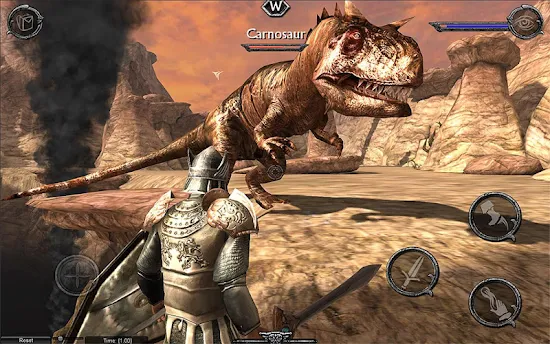
Download and play Ravensword Shadowlands by Crescent Moon games. New update to version 1.22 include apk and data.
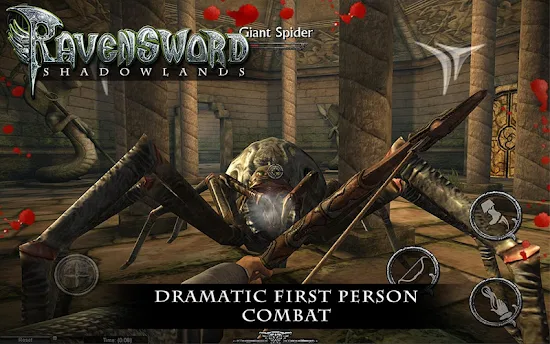
Explore a vast and richly detailed world, gather powerful weapons, collect hundreds of items, increase your skills, and follow a deep storyline to solve the mysteries of the Kingdom of Tyreas.
Features:
-Enormous 3d world to explore
-First Person and 3rd Person on the fly switching
-Gorgeous and realistic scenery
-Ragdoll Physics
-Original Soundtrack from composer Sean Beeson
-Hundreds of items to use
-Reflex and precision based combat with manual blocking and dodging
-Various weapon types - Bows, Crossbows, Hammers, Swords, Axes
-Flying Mounts
-Horses
-Tons of enemy types including huge prehistoric creatures.
-Lockpicking
-Pick Pocketing
-Stealth
-Magical Runes
-Item enhancement
-Tons of loot
-Plenty of armor upgrades
-Mounted combat
-Decision based, multi-part Quests
-Reputation and Jail System Apps Details
-Price : $6.99
-Version: 1.26
-Size: 510 MB
-Required android: 4.0 and up
-Developer: Crescent Moon Games
Instruction:
-Extract the dpk file by WinRAR or 7Zip
-Put the 'android' folder on SDCard\
-Install Apk
-Launch the App
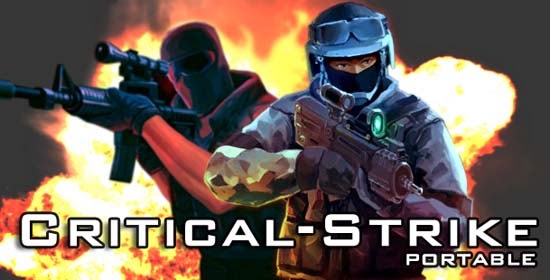
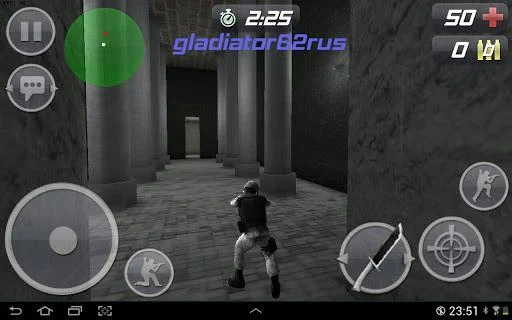
Description FPS fans, the moment you have been waiting for has finally arrived... - AndroidPocketReviews.com The gameplay and graphics are absolutely incredible - it just doesn't feel like a mobile game. - AndroidPolice.com A 5/5 to award a great and altruistic work." - AndroidZoom.com Critical Strike is Impossible to put down!! Solid gameplay and smooth multiplayer experience - GameSaku.com
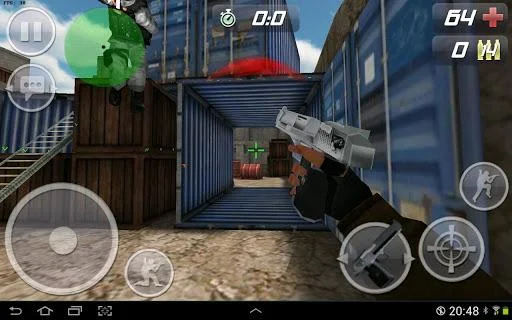
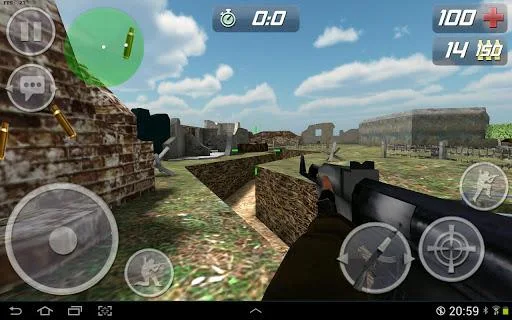
Critical Strike Portable (CS Portable) delivers the nostalgic Counter-Strike style gaming experience on your Android smartphone and tablet! Enjoy the smooth and customizable touch controls and play the exciting cross-platform first-person shooter against other players on the web and on other mobile platforms.
Critical Strike Portable’s awesome features include: - Cross-platform 3D Multiplayer FPS MMO game (Local/Online) between web, iOS and Android! - Single player mode: Player vs. Bots - Smooth and responsive customizable touch controls - All popular Game Types (Classic, zombie survival, Team Death Match, ect.) - Customizable server settings: Player HP, player speed, zombie difficulty, modes: matrix mode, night mode, space mode, ect.) - Dozens of unique maps (and more added continuously) - Build and upload your own maps with Unity 3D - And most of all, dedicated and passionate development team to listen your feedback!
PLEASE NOTE! Critical Strike Portable has no connection to Valve Corporation. Critical Strike Portable tributes original Counter Strike v1.6 but is an independent game developed from the scratch using self-made code and resources.
Some Android devices have encountered problems while installing/playing the game, we're looking into it. In some occasions the game might freeze for a minute or so, when you load a map. If this happens, just wait a moment. Below the list of devices reported to have some issues. Even if your device is listed here, it is possible that the game still works in your device (it does for most people). Samsung GT-S5830i (GT-S5830i) Samsung Galaxy S2 (GT-I9100) 5x (4.0.3, 4.01) Samsung Galaxy Tab 8.9 (GT-P7310) Samsung Galaxy 3 (GT-I5800) Samsung Galaxy Mini (GT-S5570) 3x Samsung Galaxy Gio (GT-S5660) 2x Samsung Galaxy 551 Samsung GT-S5300 Samsung GT-P6210 (GT-P6210) Samsung GT-I8150B (GT-I8150B) Samsung Replenish (SPH-M580) Samsung Galaxy Tab 10.1 (GT-P7510) Samsung Galaxy Nexus (maguro) Samsung Galaxy Note (GT-N7000) Samsung GT-S5360 (GT-S5360)
Sony Ericsson Xperia Play (R800i) Sony Ericsson R800at (R800at) 2x Sony Ericsson R800x (R800x) Sony Ericsson LT18i (LT18i) 2x Sony Ericsson WT19i (WT19i)
HTC Explorer A310e (pico) 2x HTC HTC EVO 3D X515m HTC HTC One V (primou) HTC Thunderbolt (mecha) HTC Wildfire S (marvel) HTC Desire S (saga)
ZTE RACERII (racer2)
Huawei M865 (hwm865) 2x
Toshiba Corporation AT100 (tostab03) Toshiba Thrive Honeycomb 3.1 Apps Details -Price: Free -Version: 3535 -Size: 46 MB -Required android: 2.0.1 and Up -Developer: Studio OnMars
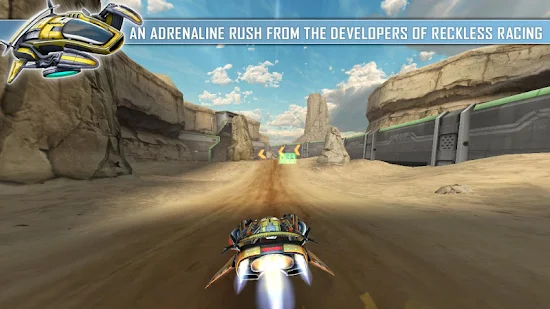
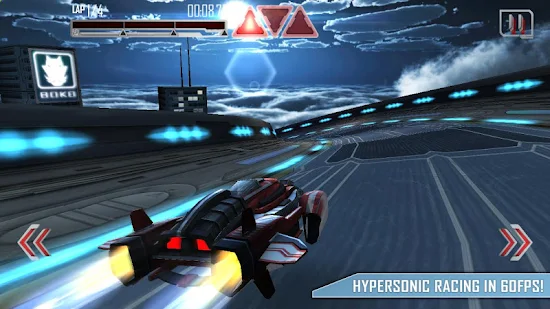
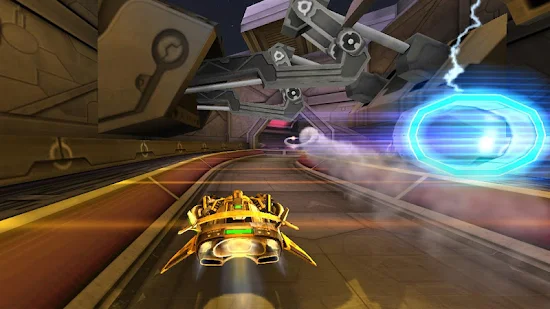
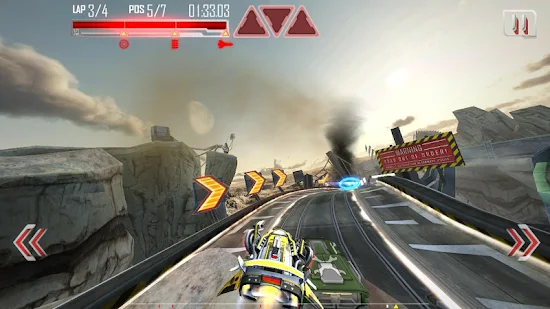
Description Get ready for the futuristic adrenaline rush from the developers of Reckless Racing! This action racer puts you in the seat of experimental Repulze hovercraft working as a test pilot for the Man. Well, the Synthetic Man is more accurate. The Synthetics run the corporations. The corporations run the world. You are way down the food chain getting pushed around to complete their “scientific” challenges. But you’ll show ‘em…
•Super-fluid racing action with stunning graphics. •Quick-to-learn touch and tilt controls but challenging to master. •7 hypersonic Repulze hovercraft. •24 gravity defying tracks with lots of different challenges. •Three game phases with varied play: •Energy Gates, Magnets, Shortcuts, Ghosts, A.I. Opponents, Weapons and Combat. •Online Leaderboards using Fuse Connect (same as the Reckless series). •Optimized for Xperia PLAY. •Features optional IAPs for players who want to unlock things faster. •Languages: English, Deutsch, Français, Español, Italiano, 简体字, 日本語, 한국어 Apps Details -Price: $3.05 -Version: 1.0.5 -Size: 257 MB -Required android: 2.2 and Up -Developer: Pixelbite
About modify: -modifying the game props for the unlimited upgrade, unlock all the cars, skin and hurdles available after completion of the tutorial.
Instruction: -Extract the dpk file by WinRAR or 7Zip -Put the 'android' folder on SDCard\ -Install Apk -Launch the App