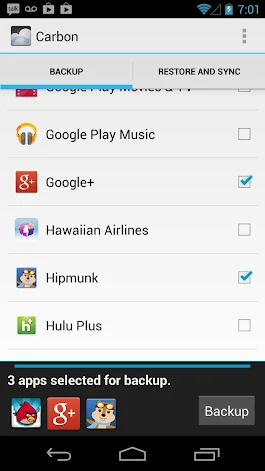
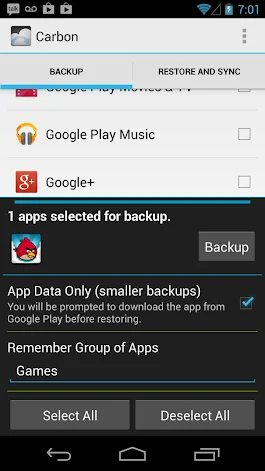
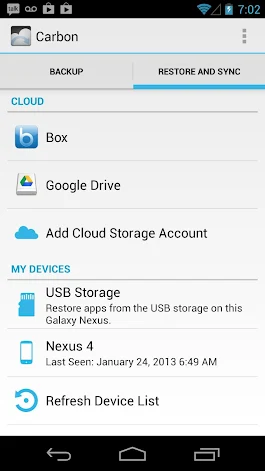
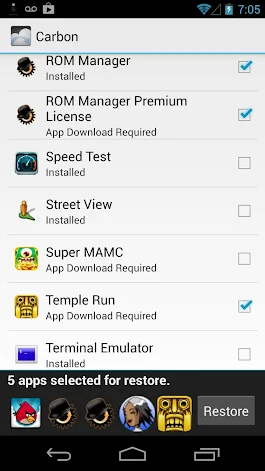
Description Helium is the missing app sync and backup solution for Android. Helium does NOT require root. All Android users can use Helium to backup and sync Android applications. Helium lets you backup your apps and data to your SD card or cloud storage. With Helium, you can sync app data from your other Android devices-- even if they are not on the same network. Set up backup schedules with Helium, and never lose data again.
Helium Setup 1. Install Helium on Android a) Root user? You're done! 2. Install and run Helium Desktop (link below) 3. Connect Android to computer. a) You may need to set your USB Connection Mode to "PTP". (Nexus 7, Nexus 10, etc) 4. Helium on Android should now be enabled.
Helium (Free) features: Backup and restore to SD card Backup and restore from PC
Helium (Premium) features: No ads Automatic Backup schedules Android to Android sync Cloud backup and restore * Dropbox * Box * Google Drive
Contacts - Backup call log and sms SMS - Backup call log and sms Accounts - Backup and restore from Drive Phone State - Uniquely identify phone for Android to Android sync Read Logs - Debugging and bug reports Wifi - Make sure scheduled backups only happen on wifi Apps Details -Price: $4.99 -Version: 1.1.1.1 -Size: 3.0 MB -Required android: 4.0 and Up -Developer: ClockworkMod
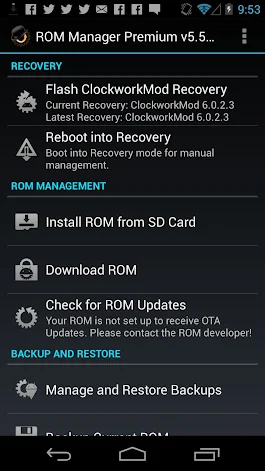
Description ROM Manager is THE MUST HAVE APP for any Android root user. (Over 10 million downloads and counting!)
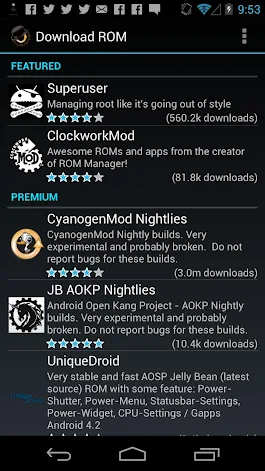
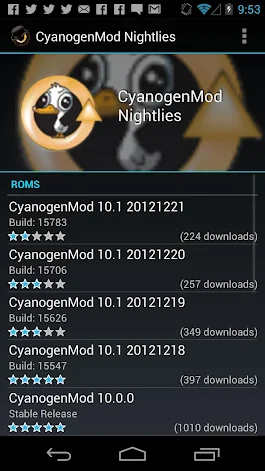
* Flash your recovery to the latest and greatest ClockworkMod recovery. * Manage your ROMs via a handy UI. * Organize and perform backups and restores from within Android! * Install ROMs from your SD card. * Install your favorite ROMs over the air!
Premium Version: * Incremental update zips (save your data plan!) * Premium ROMs * Receive notifications for when your ROM is updated! * Automatic backups * Install Queue * Web Connect * Backup Download Server lets you easily transfer backups as flashable zips to your computer.
Do you prefer using only recovery manually? Check out the Touch Recovery in app purchase, for the most advanced recovery available!
Why does ROM Manager ask for account permissions? Web Connect only needs to access your Google account to connect it to your google account. It can't access any private data or passwords.
ClockworkMod Touch Recovery: ClockworkMod Touch recovery (and recovery) is work that needs to put in for every new device that is released by a manufacturer. If work on ROM Manager ceased completely, all the premium features would continue working without issue. However, new recoveries do not port and build themselves. Without ClockworkMod Touch being a per device purchase, there is no way to recoup recurring server costs and labor. Keeping ROM Manager free and operational costs tens of thousands of dollars a year, and that does not include engineering costs.
Your support is appreciated. Troubleshooting: Droid users: Stuck at the "M" logo? Flash an alternate recovery and flash back to ClockworkMod. HTC Users: Flash recovery not working? Try fastbooting a recovery on. Droid X/2/Pro Users: You must run the Bootstrap application first to use ROM Manager. Samsung users: You must flash a Clockwork compatible kernel first (see XDA forums) IF YOU ARE HAVING LICENSE ISSUES, MAKE SURE YOU HAVE THE LATEST VERSION OF FREE (4.0+) AND THE LATEST LICENSE (1.0.8+) INSTALLED!
What's New 5.5.2.8 Crash fixes. 5.5.2.6 Revamp install from SDCard. Add support for Loki patch. 5.5.2.3 Delta download bug fixes. 5.5.2.2 Revamp comments service. All users can comment and rate. 5.5.2.1 Can now view all backups, internal and external, in the restore/manage list 5.5.2.0 ROM Manager now support TWRP 5.5.1.8 Delta downloads 5.5.1.8 Fix crash 5.5.1.4 External SD card support is fixed on devices running Android 4.0+ and CWM 6+. Apps Details -Price: $2.99 -Version: 5.5.3.2 -Size: 3.3 MB -Required android: 2.2 and Up -Developer: ClockworkMod