Description
The Services Framework GoogleServicesFramework Google Google Android system official framework for as Google software support platform.
Google application store, for example, need the support of this framework, a lot of country phone line or revision ROM delete this framework, resulting in part of the Google app non-normal operation.
Players need to download and install software without any interface after installation. Apps Details
-Price: Free
-Version: 6.1.11
-Size: 15.2 MB
-Required android: 1.5 and Up
Description
Try before buy! A free lite version of AIVC is available in the market.
Alice is your personal assistant. Alice can help you do things quickly and easily.
With Alice, Android users get a helpful assistant at hand, which understands more than just commands.
You can have a conversation with Alice, give her instructions or ask for general terms of information.
Currently Alice can assist you with following functions:
Call, SMS, Email, Translation, Navigation, Alarm, Timer, App Launcher, Calculator, Facebook, Websearch, Weather, Search images.. and many many more.
You can also define your own commands with Alice and you have the opportunity to control devices which are accessible via a web interface.
Additional to the lite version: Calendar, Play Music / Videos and Receiver Control for Enigma2, Dialog-Mode, Listen in Background.
Alice knows a lot and is constantly learning new things, some examples:
- Do I need Sunglasses?
- How far is it from New York to San Fransisco?
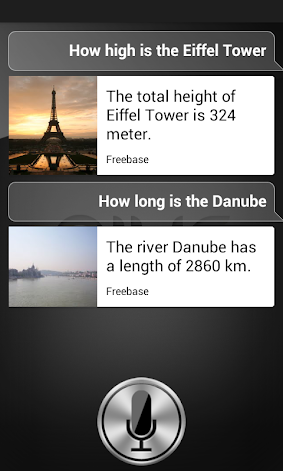
- How high is the Eiffel tower?
- How is the movie Inception?
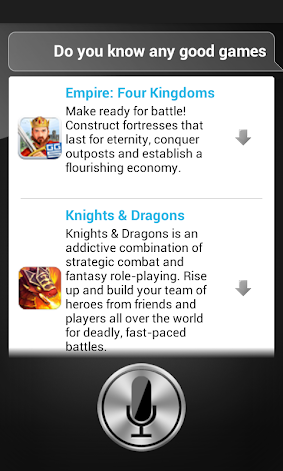
- Do you know any good games?
- What is the stock price of Google?
- Do I have unread messages?
- Director of Inception
- Zap to CNN
- Set up a meeting on monday at 12 o'clock coffee with Megan
- How does my day look on friday?
- Play Whitney Houston - Step by step
- Show me my pictures
- How's the weather?
- Call John Smith
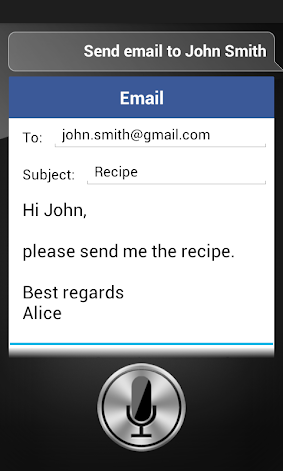
- Send a message to John i'm coming later
- Wake me up in half an hour
- What is 5 + 7 * 3
- How many contacts do I have?
- How many songs do I have?
- Set Timer for 20 seconds
- What's the definition of aspirin
- Translate into german hello how are you
- Start WhatsApp
- What is 5 meters in miles
- Do you know Barack Obama
- Navigate me to the next McDonald's
- Make the light on
- Show me New York on the map
- How many contacts do i have?
- Post on Facebook what's up?
- Search for pizzeria in New York
- Who is Angela Merkel?
- Mute / Silent
- Navigate to New York
- What is the capital of Germany
- How many people live in Berlin?
- How old is Rihanna?
- When is her birthday?
- Show me a picture of Michael Jackson
- etc... Apps Details
-Price: $3.12
-Version: 3.4
-Size: 4.5MB
-Required android: 2.3 and Up
-Developer: YourApp24
Description
Treat yourself this Christmas.
Give the best gift that we can give.
LIMITED TIME DISCOUNT! 40% off. $1.69 -> $0.99
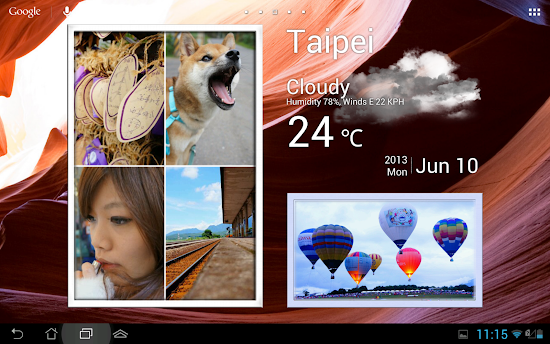
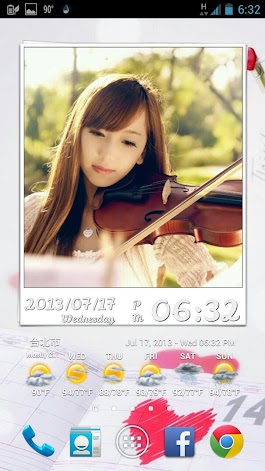
You are worth having the best photo widget on Android.
Pro version features
● Photo slideshow interval can be chosen.
● Original frame shadow can be removed.
● New 180° rotate animation.
● One click shuffle all your photos.
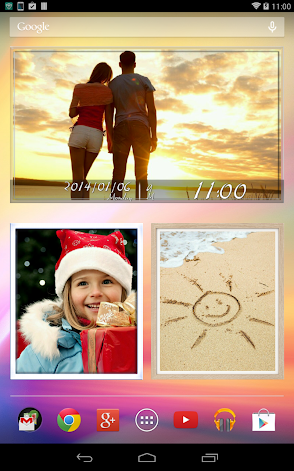
● 4 in 1 photo widget. (Support only one 4 in 1 widget on Home screen)
● Future update functions and more than 30 kinds of different design photo frame.
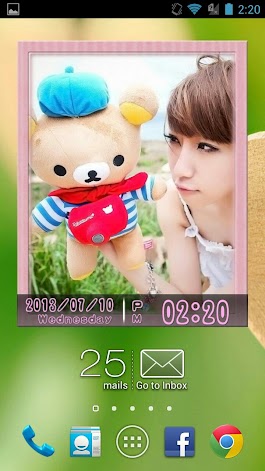
● New rich design sense of the time panel. (Show/Hide)
● 10 kinds of rich design sense fonts.
● Simultaneously select multiple albums playback.
● Gallery Click Function.
● No ads.
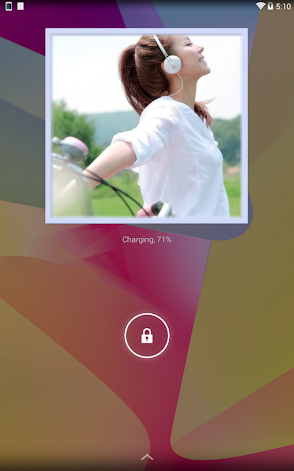
● Lock screen photo widget (Android 4.2 above)
★ The most gorgeous, the most powerful photo slideshow widget.
★ The best photo widget with lots of elegant photo frames on Google Play.
Animated Photo Frame Widget + can help you to create your own unique photo widget.
It differs from other photo widgets and offers up to 30 picture frames and 7 transition modes during slideshow process.
It can enhance the diversity of your desktop and make your album choosing more conveniently by its' photo selector.
《Main Features of Animated Photo Frame Widget + 》
◆ 「Smooth in passing to next slide with wonderful transition effects」 :
7 options available
No Animation, Fade in/out, slide, scale, rotate, page down, page turning
◆ 「Zooms in and out without damaging the image quality」:
Any size can be supported by Animated Photo Frame Widget.
Free adjustment and place of your frame Personalization (2*2 minimum , no restriction on maximum )
◆ 「Quick speed on selecting the whole album or photos」 :
No need to assign specific path/route or to select photos by other tools.
Built-in album selector can list all of your photos in an easy way.
◆ 「Considerate power-saving design」:
It would automatically stop updating when you close the screen without consuming the battery of device.
It will automatically launch update function when you open the screen.
◆ 「Console panel」 :
Easily stop the auto-play function anytime and switch photos manually by this panel.
◆ 「Random play / Shuffle」 :
You can play any album in shuffle or directly play all photos saved in the device.
◆ 「Independent Photo Widget」 :
You can place some widgets on the desktop. Each of them works independently.
◆ Image Observer」 :
You can edit/crop、add or delete photos in albums, image observer will auto rescan the photo list.
Attentions
After install app, you must start with few steps.
(It doesn’t exist in app list.)
Home -> Widget -> Animated Photo Frame Widget + -> Drag it to home
Or
Long click home -> Widget -> Animated Photo Frame Widget + -> Drag it to home
Notice ! It will check google play license at first start,
make sure your network connection is on. Apps Details
-Price: $0.99
-Version: 6.2.0
-Size: 23MB
-Required android: 2.3 and Up
-Developer: Hikaru Inc
Description
SIMPLE, LIGHT, FAST.
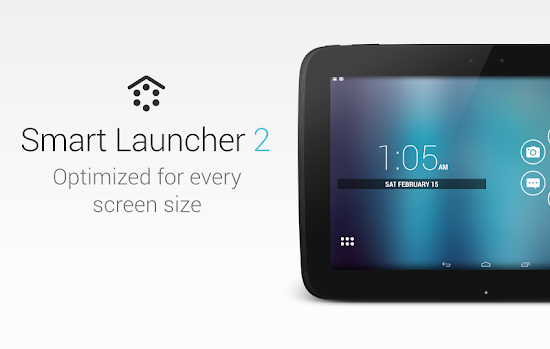
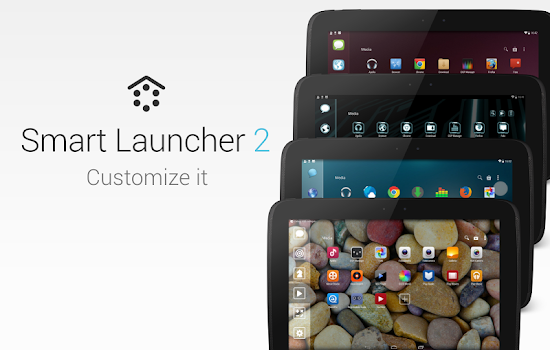
Smart Launcher Pro 2 is the premium version of Smart Launcher, an innovative launcher featuring minimalist design, low resource requirements and a user-friendly interface that allows you to launch any application with a few taps.
STILL MINIMAL BUT SUPER FEATURED
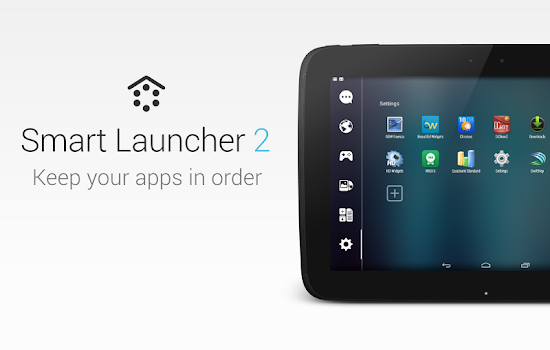
Customizable categories
If 6 categories are not enough for you, you can add as many categories as you want. You can have books, shopping, navigation -- or you can create a new category you define yourself.
Popup Widget
You can use popup widgets to show widgets when you need them. Single tap to start an app, double tap to show a widget.
Widget screen
SL Pro 2 provides you a secondary, multiple-screen panel in which you can place widgets.
More gestures
Two-finger gestures give you even more possibilities to customize the way you start apps.
More and faster updates
SL Pro 2 is the first version to be updated and gives full access to every upcoming SL feature.
What's in this version : (Updated : Dec 12, 2014)
Fixed backup bug on Lollipop
Fixed missing lockscreen after reboot
New folder layout
Now you can reorder items in folder (only android > 4)
New preferences "App animation" in Preferences → Animations (6 animations available). Previous versions
SDK updated to Lollipop;
Bugfixes; Apps Details
-Price: $3.72
-Version: 2.12-p3
-Size: 2MB
-Required android: 2.1 and Up
-Developer: GinLemon
Description
* As seen on TV! *
* Free demo version available *
* New: compatibility with Google Now *
* New home automation feature : compatibility with Philips Hue bulbs *
Summary :
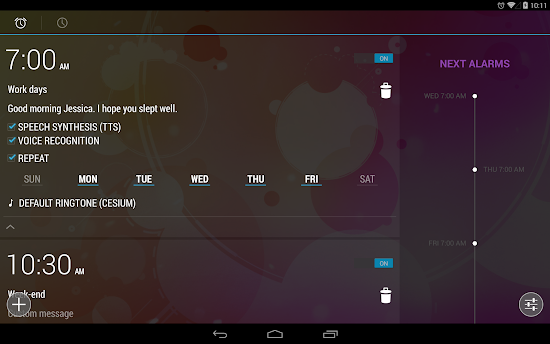
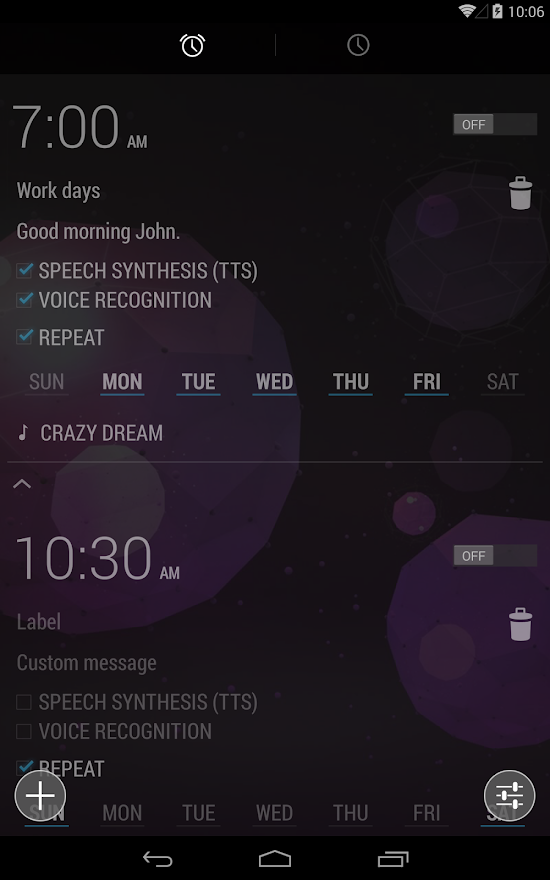
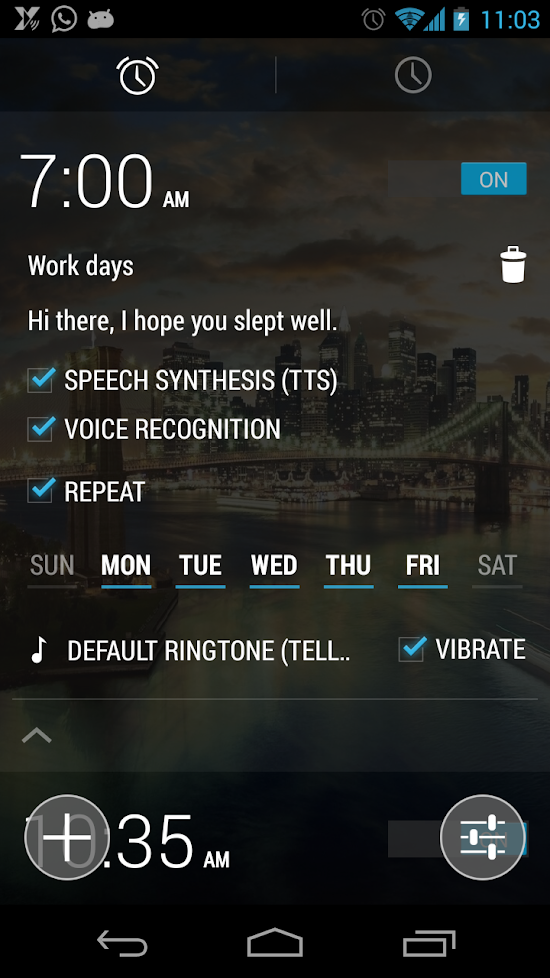
Much more than a simple alarm clock, WakeVoice lets you interact with your phone using your voice:
- Talk to it with custom commands to stop the alarm or activate the snooze option
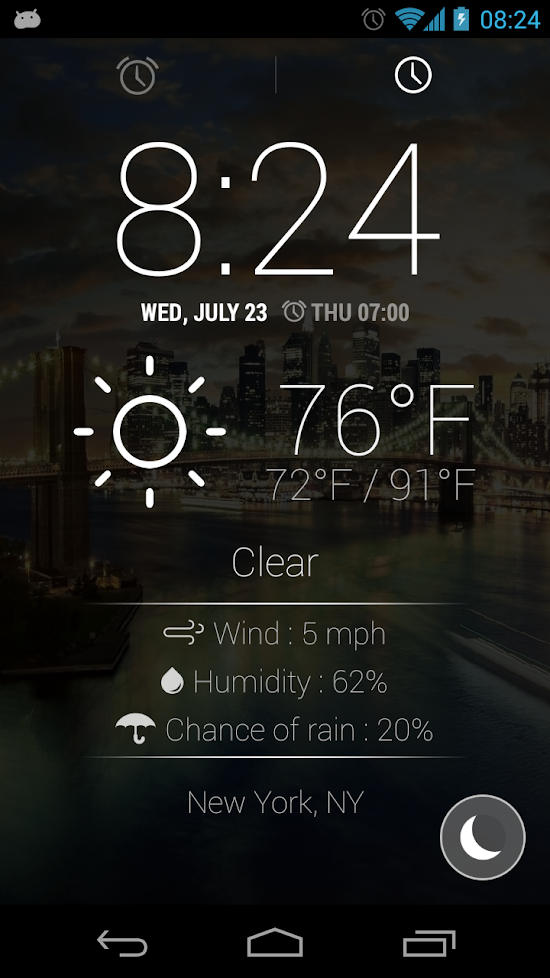
- Listen to your phone telling you about the weather, news of your choice or a personalized message while staying warm in your bed
Details :
Waking up is not an easy thing for you? You have never found the alarm clock you needed?
Why not try WakeVoice!
WakeVoice can overcome the negative aspect associated to regular alarm clocks, making your morning funnier and less difficult.
The idea is simple: when the alarm rings, you just have to talk to WakeVoice to stop the alarm or activate the reminder.
But that's not all!
Once the ringing stopped, it's your phone's turn to talk to you.
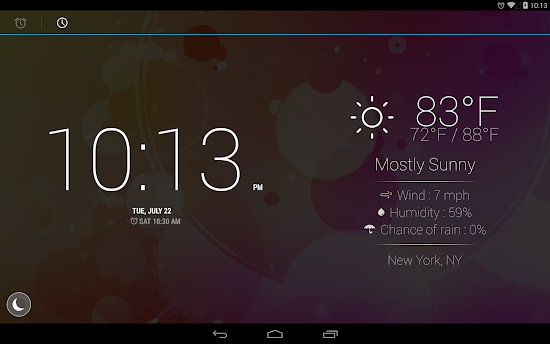
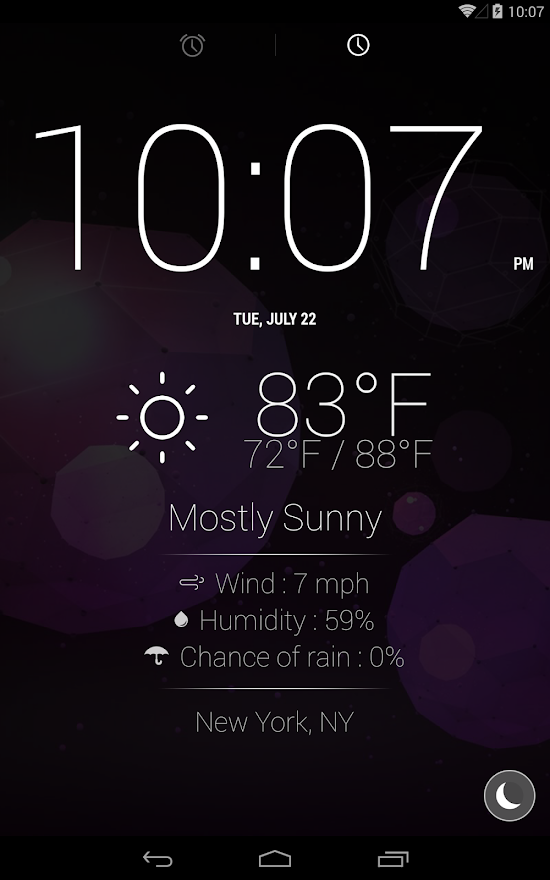
Customizable messages, weather of the day, news of your choice (RSS)... choose what you want to hear.
Add to that all the settings imaginable on a clock (programming various alarms over several days, setting names, volume, times...) and you get WakeVoice, the most innovative alarm clock that you can find on the Android market.
So now, with WakeVoice, you won't be angry anymore when you'll be waking up :)
Warnings :
- If you have a Sony Xperia device with Stamina mode enabled, please allow WakeVoice in the whitelist of the Stamina mode otherwise it will prevent alarms to ring
- Don't force app2sd with WakeVoice. It's not recommended by Google for an alarm clock app. Furthermore, you'll have issues with Play Store updates.
If you have any issue, please report them at support@adnfx.com (you can also use the button directly in the app's settings)
What's New
- Fix: issue with our weather provider. A new one has been implemented
- No more licence checking
- Do not hesitate to disable and enable again all your alarms to prevent any update issue
- Various bug fixes Apps Details
-Price: $2.47
-Version: 5.7
-Size: 7MB
-Required android: 2.3 and Up
-Developer: ADNFX Mobile
Description
"As a scanner, wonderful. The best I've found so far. I honestly do not miss the chance to buy cheap. No more notes to make photocopies! With this it is all done"-- A Droid Scan user.
"If you want to become a paperless business, spend the extra dollar [for Droid Scan]"-- Pursuit Mag: http://goo.gl/vNm0U
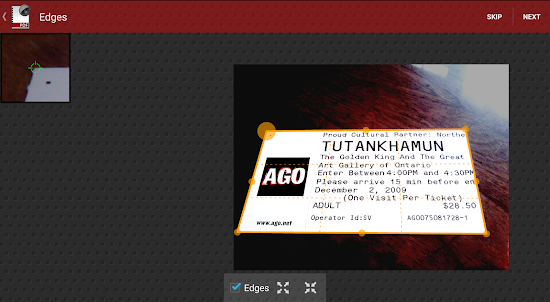
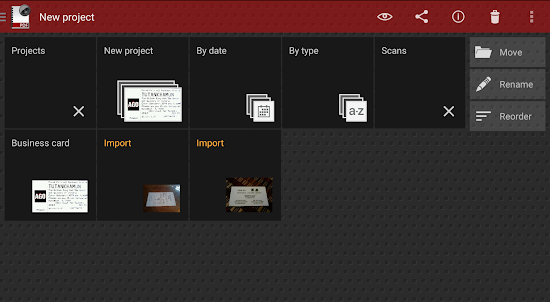
Droid Scan is a mobile app that turns your phone or tablet into a portable document scanner. With Droid Scan you can transform images captured with your camera into professional multi-page PDF documents in just a few clicks.
** Please try free version first (Droid Scan Lite) to make sure this app is compatible with your device.
** 24 hour money back guarantee. Email support@droidscan.com if you are not satisfied.
Droid Scan Pro has these unique, state of the art features:
- Batch processing, including turbo capture and batch convert, so that multi-page documents can be created with just a few taps.
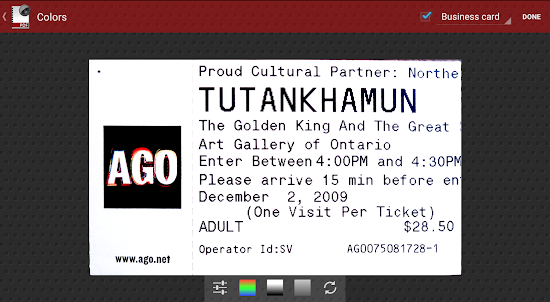
- Document shape recognition, for perfectly shaped, professional-looking scans in standard formats like US Letter, US Legal, A4, A3, etc.
- Support for architectural and engineering paper sizes.
- Ultra high resolution scans that preserve most of the pixels in the original photo after conversion and enhancement.
- Built-in integration with OCR by Google Drive.
- Compatible with OCR by Evernote and Google Goggles.
- Built-in integration with Box OneCloud.
- Compatible with most cloud storage providers including Box and Dropbox.
Turn your mobile phone into a document scanner that goes where you go. Convert any snapshot into a highly readable JPEG or PDF by fixing geometry, contrast, and color.
Record business cards, white boards, full page documents, and receipts. On-phone conversion: complete confidentiality, no subscription fees.
Multiple resolutions available from low-res, suitable for quick sharing via email, to highest fidelity reproductions suitable for OCR and printed copy.
Automatic recognition of document shapes like US Letter, A4, Business card, and more.
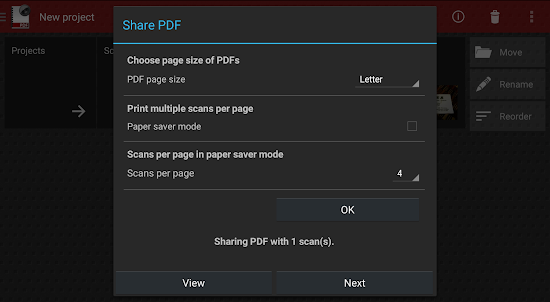
Easy creation of multi-page PDF documents and ZIP files using the built-in scan gallery.
Share via Gmail, Box, Dropbox, and many more.
** Droid Incredible users should read the Camera FAQ for their device: http://goo.gl/0zYO5
** We have just added a new Evernote FAQ: http://goo.gl/84KwQ
** Scanning sensitive documents? You're safe. See detailed information about privacy: http://goo.gl/7Kg5v
** Please note: If you use the capture feature on a tablet without a rear facing camera, Droid Scan may open the front facing camera, but this is not the intended method for using the app on a tablet. Droid Scan on tablets is intended for users who use another device to capture images, and cloud storage (for example, Picasa, Box OneCloud, Dropbox) to access the images on the tablet.
What permissions are used for:
FULL INTERNET ACCESS: Uploading images to a web service; sending anonymous statistics about app use to Google Analytics.
MODIFY/DELETE USB STORAGE CONTENTS MODIFY/DELETE SD CARD CONTENTS: Saving scans on the SD card.
VIEW WI-FI STATE/VIEW NETWORK STATE: Checking for an Internet connection before attempting to upload images to a web service.
What's New
- Layouts are improved for phablet devices.
- It is no longer possible to delete an imported image without a confirmation dialog.
- Two memory leaks in the scan viewer and gallery are fixed.
- The notification UI is modernized. Apps Details
-Price: $4.49
-Version: 6.0.1
-Size: 1.5MB
-Required android: 2.3 and Up
-Developer: Trans-code Design
Description
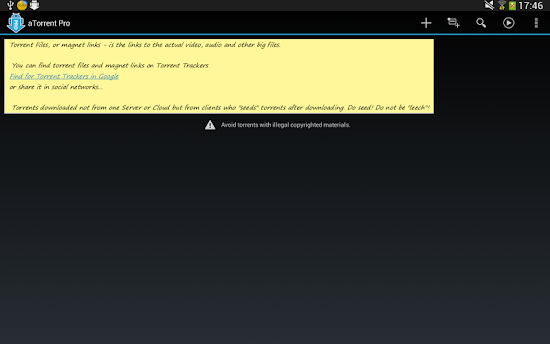
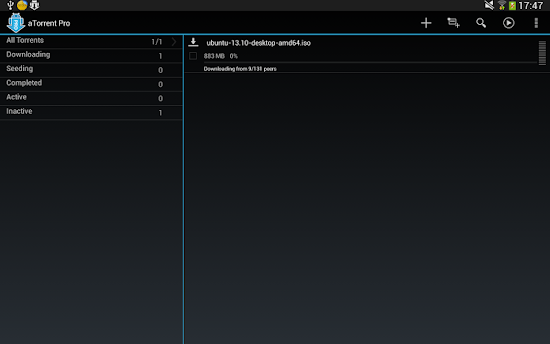
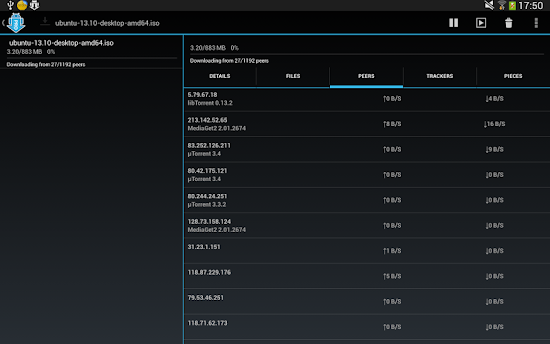
aTorrent PRO - Native P2P BitTorrent Software for Android devices. Download files with ease right to your phone or tablet!
Professional (Ad-free) version.
Features:
* Dark and Light themes
* Torrent search dialog
* Open torrents right from browser
* Magnet links support
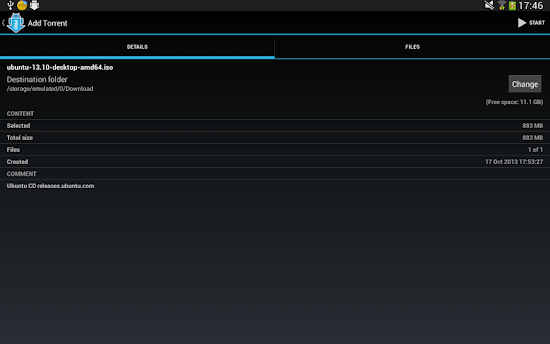
* Add torrent from file
* Choose download folder
* Partial download (choose files from torrent)
* Multiple parallel downloading
* Option to limit downloads by Wi-Fi
* Option to pause downloads when external power supply is not connected
* Supported protocols: BitTorrent P2P, DHT, Advanced DHT Bootstrap, Magnet links, HTTP & UDP Trackers
* Large files support (for FAT32 SD cards - 4Gb maximum, for internal storage - unlimited file size)
Coming soon:
* Many other features in development.
! If you have installed any Free RAM/Task manager application, then add aTorrent to it's exclusion list to avoid unloading from memory and stop downloading.
! Use High Speed (Class 10+) memory cards for downloading to prevent lags.
What's New
2.2.2.8
-some bugs are fixed
+ files download priority added
-android 2.1 now is not supported
2.2.0.5 - 2.2.1.3
+update to libtorrent 1.0
2.2.0.4
-fixed download limit setting
-fixed torrent file opening after download in browser
2.1.6.3
+ Save to external storage for KitKat
2.1.5.7
+libtorrent 16.16
+ tablet UI reorganized
2.1.4.7
+Download queue management
+Settings UI changed
+now you can change folder while magnet being demagnetized
+encryption support Apps Details
-Price: $4.95
-Version: 2.2.2.8
-Size: 5MB
-Required android: 2.3 and Up
-Developer: Mobilityflow
Description
<<< X-MAS Special, now for EUR 0,99 only >>>
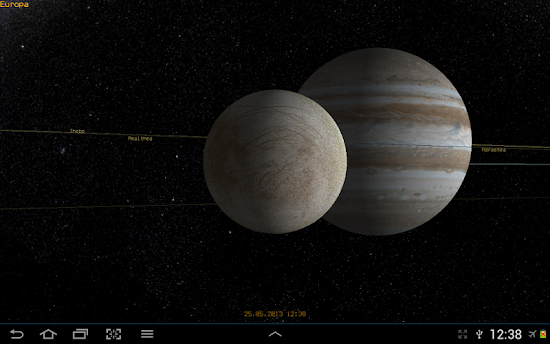
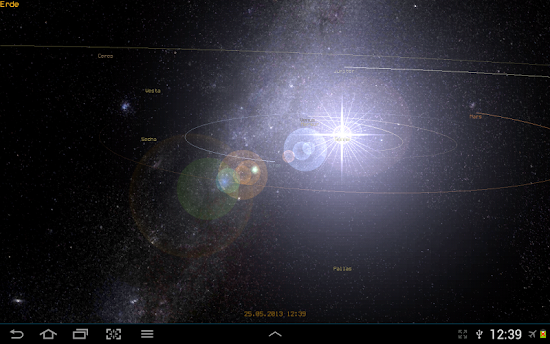
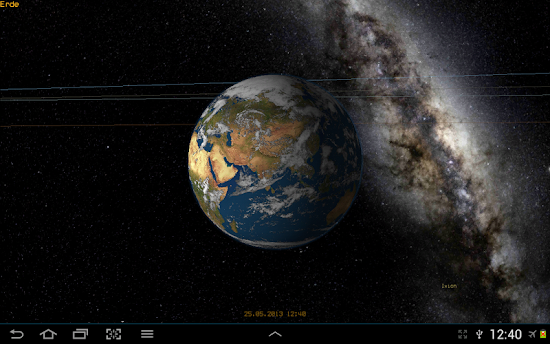
Pocket Planets is the most comprehensive 3D Solar System Simulator in the Google Play Store.
With accurate scale representation of the Sun, Planets, Moons, Asteroids, Dwarfs and detailed information to the celestial objects.
Use it as educational software for your kids, or regardless if you are a beginner or advanced astronomer, this App brings you closer to the planets than any telescope.
Working great on smartphones and tablets.
Discover...
★ the Sun, the bright shining star in the center of our Solar System
★ Mercury, the fastest planet orbiting around our Sun
★ Venus, its greenhouse effect produces a surface temperature that would melt lead
★ Earth, the blue oasis and only place filled with life
★ Mars, inspiration for many SciFi films and books
★ Jupiter, the giant, guardian and protector in our neighborhood
★ Saturn, with rings of unique beauty and elegance
★ Uranus, which rolls over its orbit like a bowling ball
★ Neptune, the outermost recognized planet
★ Pluto, one of a new category of dwarf planets
But these are not all objects of this simulator, because so far you do not know Orcus, Varuna, Ceres, Pallas, Haumea and all the other asteroids and dwarf planets. Not to mention Sedna whose orbit is still speculative to science.
Nearly 200 objects are included, but not as static images, rather as living objects in a living universe. Enjoy the Solar System in realtime, in the future or past.
Bring the cosmos to life with an innovative timeslider. Let time take its course, how fast depends on the scale factor of the timeslider. A wipe with your finger and the simulator comes to life.
For a more exiting viewing experience various camera modes are available. Attach the camera to a planet or place it at a fixed location in space and let the celestial bodies pass by, in portrait or landscape mode, whatever you prefer.
And that's still not all. A built in encyclopedia gives you useful information about each object of the simulation, extracted from Wikipedia.
Don't miss this unique viewing experience, there is no easier way to explore the wonderful world beyond our planet.
And if you ever feel "Lost in Space", don't worry, because it's just a simulation.
Features:
★ Super smooth UI
★ Nearly 200 simulation objects
★ Simulation of real celestial body distances and dimensions
★ Adjustable simulator time with an innovative timeslider
★ Flexible camera system for a unique viewing experience
★ Portrait and landscape mode
★ Many HD textures, some of original recordings (NASA Voyager, Cassini spacecraft)
★ Many preference options
★ Ephemeris data based on NASA Horizons system
★ Orbit calculations with modified Kepler algorithms
★ Encyclopedia function, the most important information from Wikipedia Apps Details
-Price: $
-Version: 1.0.5
-Size: 44MB
-Required android: 2.3 and Up
-Developer: Bruno Oberdorfer
Instruction: (UCloud/Zippyshare)
-Put Data on SDCard\
-Install Apk
-Launch the App
Description
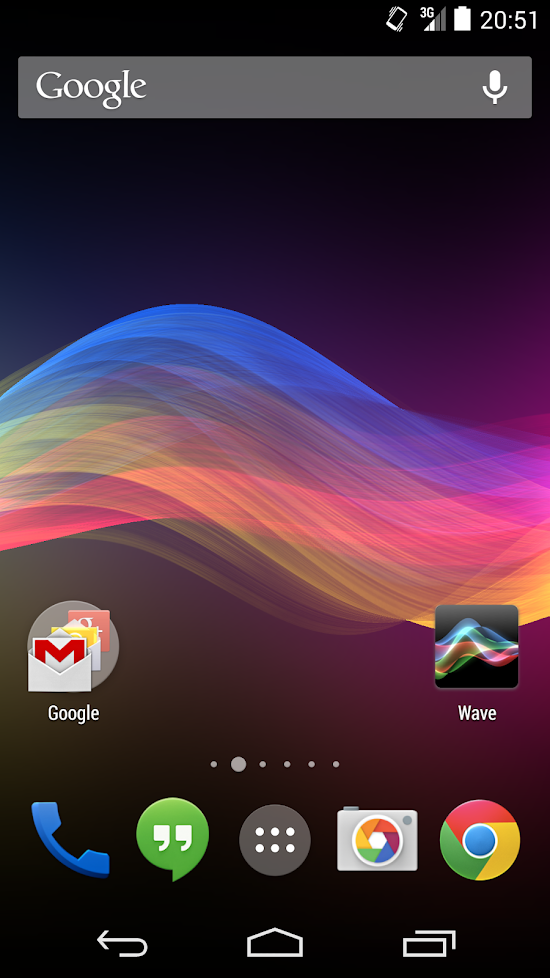
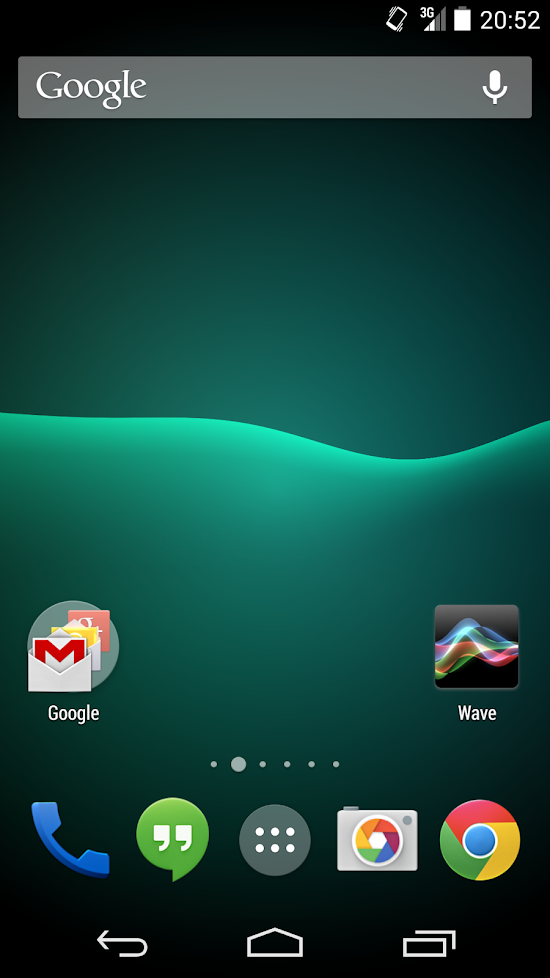
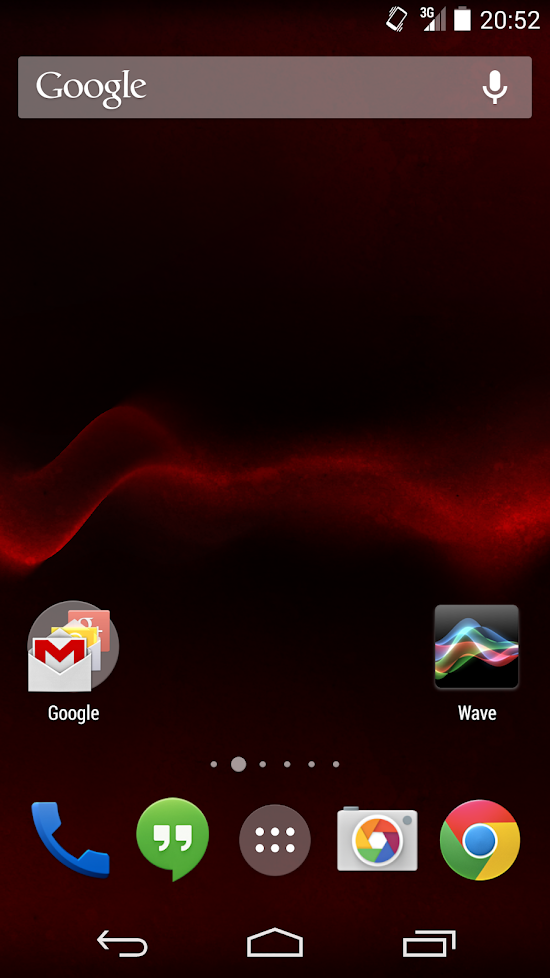
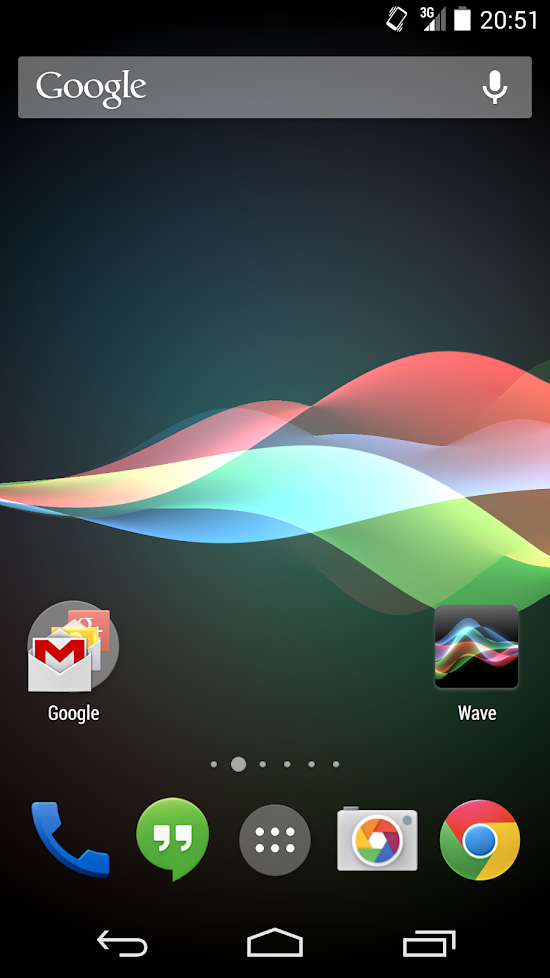
Wave is one of the best live wallpapers for Android. With the latest free update to version 3 the bar has again been raised. This is the third big update since the release in 05/2012.
The core features are:
• smooth animations
• all parameters can be set separately → endless possibilities
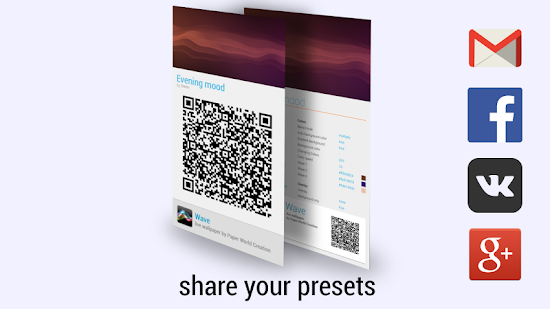
• you can save your own presets and share them with other people
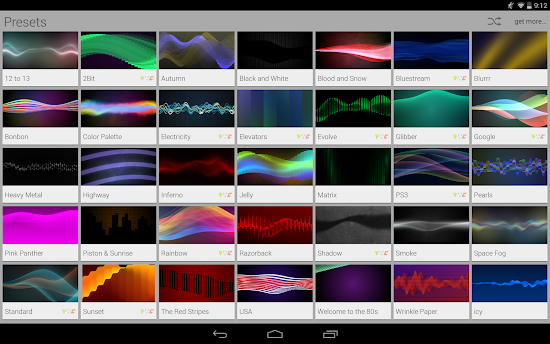
• beautiful factory presets enable you to quickly change the looks of Wave
• simple import of presets with QR-codes or hyperlinks
• low battery usage
• online repository and Google+ community for more user presets.
Online reviews
Wave - a sweet Live Wallpaper app for Android (4.8 / 5 Stars) | AndroidTapp.com
A very nice live wallpaper.. Highly customizable, soothing, easy on the battery,.. Nice and unique addition to your phone' | playboard.me
crazy beautiful and probably makes your phone 6 times cooler' | androidstatic.com
User reviews
"Galaxy S2. The best live wallpaper. PERIOD !"| Joe
"Outstanding and stylish. Highly recommended."| Neil
"Just the ticket. I was looking for a ps3 'like' live wallpaper, I tried a few and none of them touch this one, great app."
"10 Stars. Stunningly great LWP. No other wallpaper stayed on for so long on my GS2!! If you are creative you can create hundreds of designs of waves."|Siva
"Magnifique. Très beau fond d ' écran style Xperia , paramétrable à souhait et de haute qualité"
What's New
v3.11
fixed: graphic glitches Apps Details
-Price: $1.23
-Version:3.11
-Size: 8MB
-Required android: 2.3 and Up
-Developer: Paper World Creation
Instruction: (Zippyshare/UCloud)
-Put Data on SDCard\
-Install Apk
-Launch the App
Description
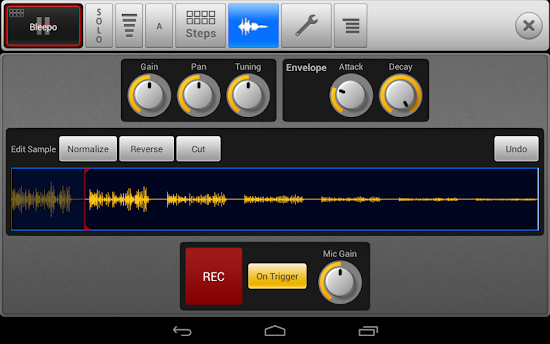
Mix, record, play and perform your own electronic music with the SPC – Music Sketchpad 2! It’s the best Android app for sampling, sequencing and beat programming on your phone or tablet.
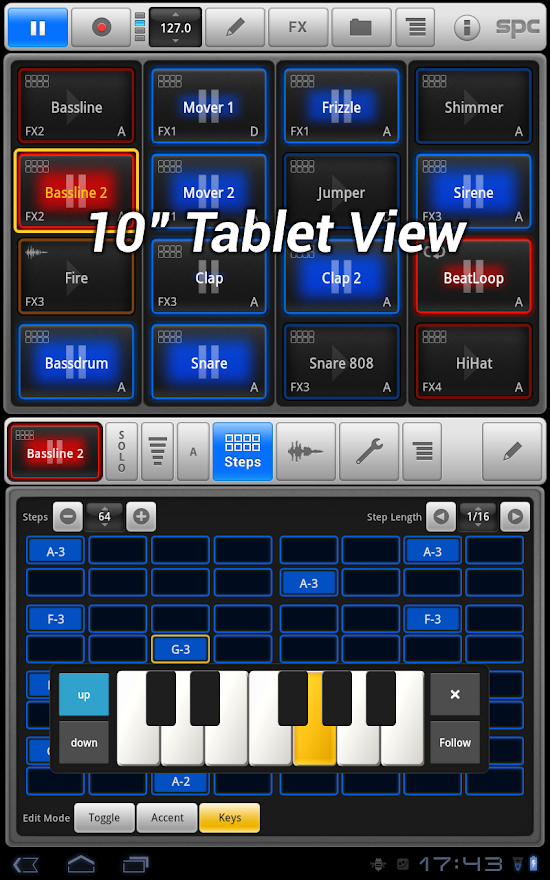
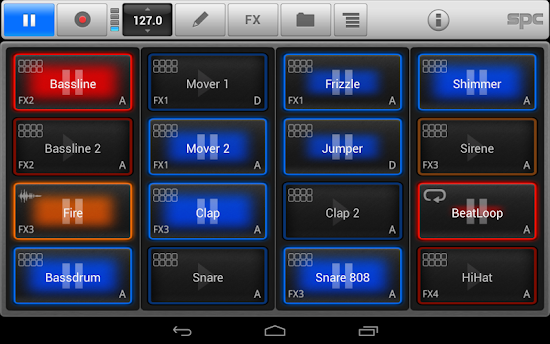
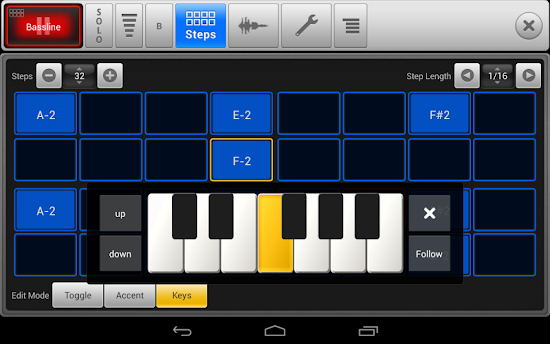
Start producing now: Play loops and sequences with the 16-pad multi-touch enabled main screen and program your own sequences and drum grooves by setting steps and notes.
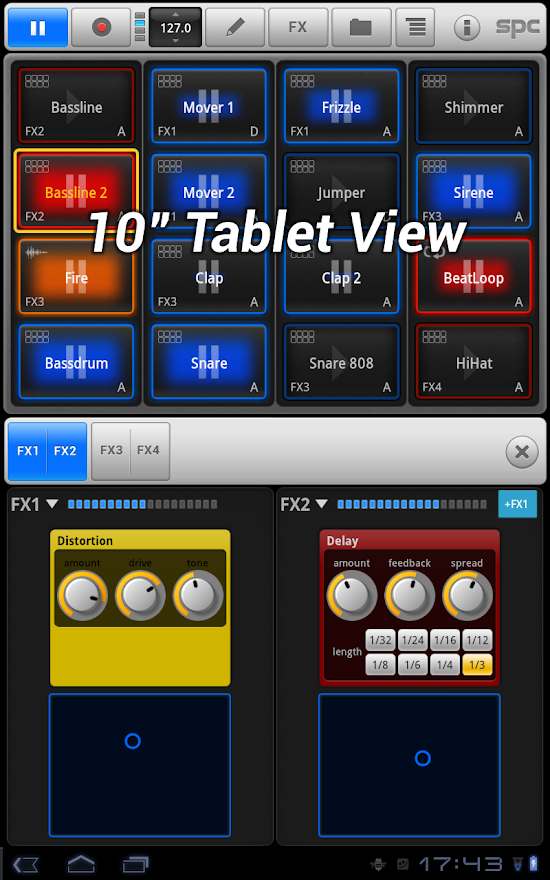
Upload and manipulate your own loops and sounds or use and mix the ones included in the app or provided for download on mikrosonic's website. Tweak the sounds with the sampler and effects like reverb, phaser and distortion. Record any sound with your device’s built-in microphone.
Optimized for phones and 7- to 10-inch tablets.
If you already use mikrosonic’s popular RD4 – Groovebox, loops you’ve created and exported there can also be instantly available to work into your music!
Use the SPC – Music Sketchpad to:
Perform live
- 16-pad screen mixes loops and sequences
- Remix your tracks in real-time
- Import your own samples/loops in the WAV format up to 24-bit 96 kHz
- Loops can be up to 8 bars long
- Recording of performances in exportable WAV format
- Comes with 2 pre-programmed scenes
- Additional scenes for download at the mikrosonic website
- Pad play options: Loop, One Shot and direct sample play
- Three pad start options: Instant, Next Beat, Next Bar
- Tap Tempo
Program your own beats and grooves
- Full featured drum machine
- Flexible sequencer
- Step sequencer for each of the 16 pads
- Every step sequencer with up to 64 steps
- Individual velocity/accent settings for each step
- Different step lengths from 1/4 to 1/32
Scribble your musical ideas
- 16 tracks with up to 4 variations
- Keyboard for melodic composition
- Sound library with one-shot samples
Record sounds and loops
- Record your voice, instrument or any other sound directly with your device's built-in microphone
- Record one-shot samples with trigger function
- Record loops in sync with quantization and overdub function
- Use the recordings instantly in your performance
Edit your sounds
- Waveform display
- Gain, pan and tuning knobs
- Envelope control with attack and decay
- Reverse, normalize and cut function
- Up to 16 steps volume and pan envelope for loops
- Slicer for recombining loop elements
- All actions in real-time
Add effects
- Reverb, delay, phaser, filter and distortion
- Freely assignable to each pad
- Real-time controllable effects
- X/Y control field for each effect
- 4 effect sends
- Chaining of 2 effects
Technical Features
- Multi-touch control
- Optimized for phones and 7- to 10-inch tablets
- Special rack view in portrait mode for 10-inch tablets
- OpenSL integration for lower latency
- Direct integration of RD4 - Groovebox loops
- Integrated browser for loading WAV files from your SD card
- SoundCloud Sharing Kit integration
- File sharing capability
- App2SD
System Requirements:
- Android 2.2 or higher
- screen resolution 800×480 (WVGA) or higher
- 800 MHz CPU or faster supporting ARMv7
Please note that version 2 of the SPC is a multiple APK that will start the older version 1.8.2 of the SPC instead of version 2.0 if the Android version on your device is below Android 2.2.
What's New
- Support for displays with a resolution of 2560 x 1440 pixels (xxxhdpi, e.g. LG G3, Samsung Note 4)
- GUI enhancements for Android 5/Lollipop
- Fixed: Clear Scene resets now also effect settings Apps Details
-Price: $4.33
-Version: 2.3.0
-Size: 8MB
-Required android: 2.3 and Up
-Developer: mikrosonic