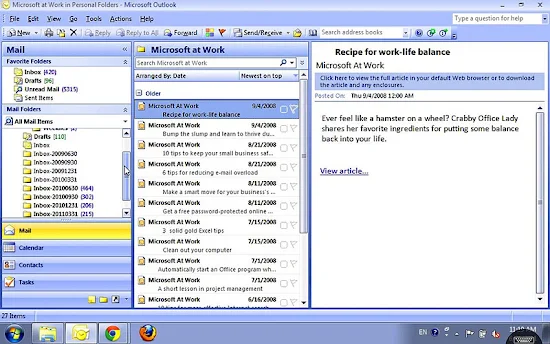
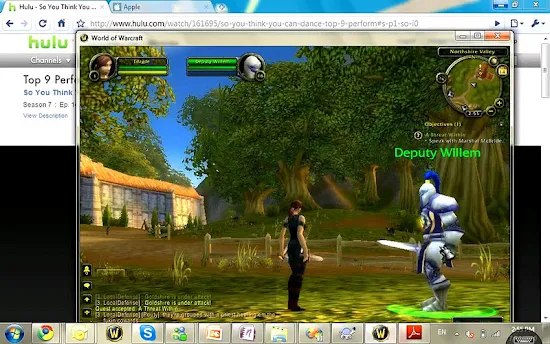
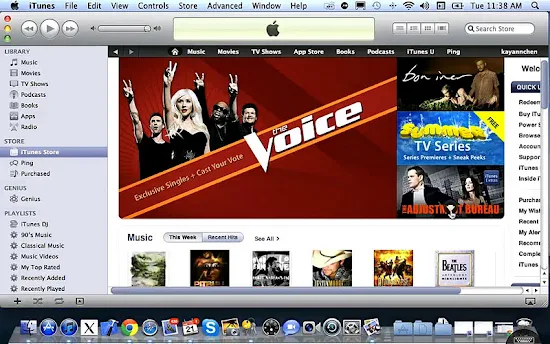
Description This is the ONLY remote desktop app that streams the whole PC or Mac screen to your Android tablet with smooth, high-res video and audio, allowing you to interact with your all applications, games, multimedia content, and files over Wi-Fi and 3G/4G networks. GO EVERYWHERE WITH JUST YOUR ANDROID DEVICE WITHOUT HAVING TO CARRY YOUR COMPUTER! Optimized performance for Android 3.x (Honeycomb) and 4.x (ICS) tablets.
Notice: #.If you have upgraded Splashtop Streamer on your computer to v2, please visit http://support-remote.splashtop.com/entries/21658867 to configure the settings.
Honors: * BEST of CES 2012 -- Best Mobile App * BEST OF CES 2011 Award * #1 Android Market "Top New Paid App" (June) * Top Android Market business apps in US, UK, Canada, etc. * #1 iPad, iPhone, Windows, Mac, webOS, etc. Fast and Easy Setup: * One-click access to your computer desktop with minimal setup * Install the free Splashtop Streamer on your computer - supports Windows 7, Vista, and XP, as well as Mac OS X 10.6+ (Snow Leopard or Lion is required for Mac users). * Application automatically finds your local computers, or sign in to your Gmail account on the app and Streamer to find your computers across the Internet Apps Details -Price: $9.99(19.99) -Version: 1.9.11.0 -Size: 3.5 MB -Required android: 3.1 and Up -Developer: Splashtop
Description PC Remote Desktop-RDP provides you with the immersive control on your PC by connecting your iPad or iPhone to it. You will be able to use iPad or iPhone to access any software installed on your PC, such as using MS Office to work on your documents. Apps Details -Price: $0.86 -Version: 1.0.1 -Size: 6.8 MB -Required android: 2.2 and Up -Developer: OlivePhone
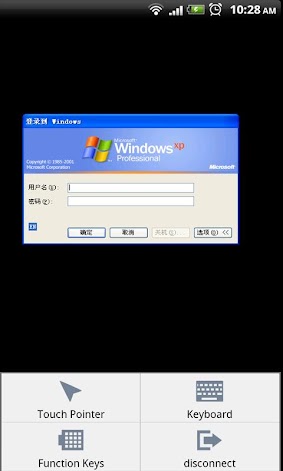
Description Xtralogic Remote Desktop Client for Android enables you to connect to your computers across the Internet from a mobile device powered by Google Android platform. Once connected, it gives you mouse and keyboard control over your computer while showing you everything that's happening on the screen. You can leave your computer without losing access to your files, applications, and e-mail. Xtralogic Remote Desktop Client is using Microsoft Remote Desktop Protocol (RDP). All the necessary server components are already part of most versions of the Windows operating system. Personal editions of Windows and Mac do not have RDP server functionality, but they can be accessed over VNC protocol. Within one week after a purchase, if you are not completely satisfied with the app, please let us know and we will refund the purchase price.
Features * VNC protocol support * Support for Windows 8 Multi-Touch remoting (a.k.a. Metro) * Simple Connect (eliminates the need for configuring port forwarding on a network router) * Custom screen resolutions, including an option to automatically fit to the device screen * Secure network communication protected by SSL/TLS * Network Level Authentication (NLA) with CredSSP * Microsoft Remote Desktop Gateway(RD Gateway) support * RemoteApp programs support * On-screen keyboard for keys missing on the device (functional keys, etc.) * Server address book * Master password to secure server password storage * Audio redirection to the client from a remote computer * Microphone redirection from the client to a remote computer * File transfer between SD card and remote computer * Copy/paste text between client and server * Display zoom in/zoom out * Pinch-to-zoom * The first and only mobile Remote Desktop client with support for Microsoft Remote Assistance * RDP data compression and caching to save bandwidth * Android home screen shortcuts * Support for x86 based Android devices * Automatic activation of a software keyboard in text fields * Support for international keyboard layouts * Support for multitasking: switch to other apps without disconnecting * Support for a physical keyboard (a keyboard connected over Bluetooth or USB) * Physical mouse support: drag and drop with a single mouse click, mouse wheel, all three mouse buttons are supported (some features require Ice Cream Sandwich) * Export/import the server address book and app settings to/from SD card * Support for importing server settings from .rdp and XML files * Multi-touch gestures for scrolling, mouse buttons emulation
The following operating system have Remote Desktop Services and can be connected using Xtralogic Remote Desktop Client without any additional server side software: * Windows Server 2000 * Windows XP Professional * Windows XP Media Center Edition * Windows Server 2003 * Windows Vista Business, Ultimate and Enterprise * Windows Server 2008 * Windows 7 Professional, Ultimate and Enterprise * Windows Server 2008R2
The following operating system do not have Remote Desktop Services out of the box: * Windows XP Home * Windows Vista Home * Windows Vista Home Premium * Windows 7 Starter * Windows 7 Home Premium * Mac OS * Linux
Apps Details -Price: $14.95 -Version: 4.0.1 -Size: Varies with device -Required android: Varies with device