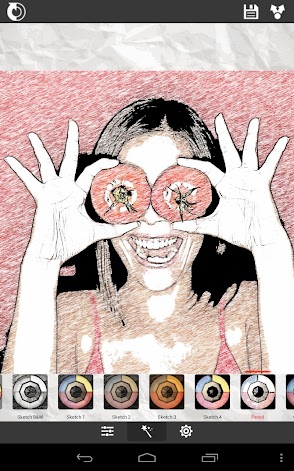
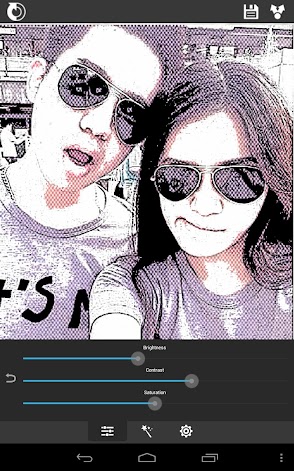
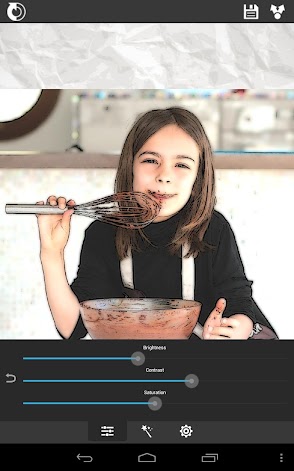
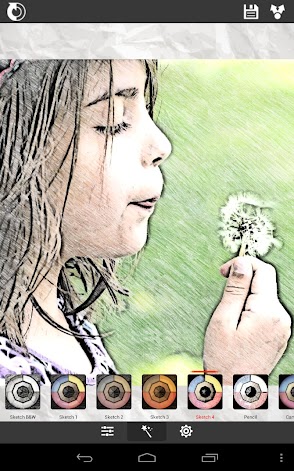
Description The paid, ad-free version of the free XnSketch app. Turn your photos into drawing, cartoons or sketch images in one click to create instant works of art. Different effects easy to use with full control. Save your creations and share them with your friends through Facebook, Twitter, and Email.
What people are saying + Fantastic! Absolutely love what this program does. The effects are really beautiful. + This app is very well done + Make it more beautiful I think this is absolutely awesome. Thank you!
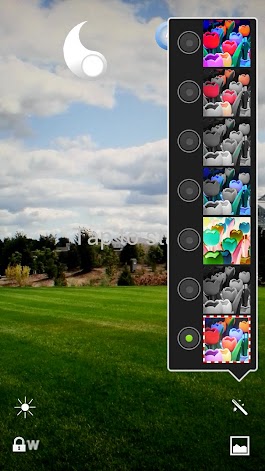
Features: ★ Different effects (black strokes, white strokes, pastel, pencil sketch, color sketch, cartoon, stamp, halftone, hatching, ...) ★ Edge strength, and opacity adjustement ★ Contrast, brightness, saturation adjustement ★ Save or share the result with your friends via Twitter, Facebook, Email, ... ★ No registration is required, and there are no watermarks, no limitations. Please help us to improve XnView Sketch by sending your bugs or requests on http://newsgroup.xnview.com or contact@xnview.com Apps Details -Price: $1.31 -Version: 1.15 -Size: 2.5 MB -Required android: 2.2 and Up -Developer: XnView
Description PerfectShot is a camera application that focus on features that help you improve your photos BEFORE they are taken rather than after. By providing you the most advanced assistances, PerfectShot helps you eliminate chances of imperfect shots and improve your efficiency so you are able to take better shots and have better chance of capturing precious moments. Users' reviews:
Toni Ostarcevic Should be standard with any good camera. No more blurry, fuzzy images. Is worth much more than it costs!
Joel Candy Looks like this is the Camera app I will be using from now on! Works excellent. It has all the functionalities other camera app provides plus tons of improvements and revolutionary feature!
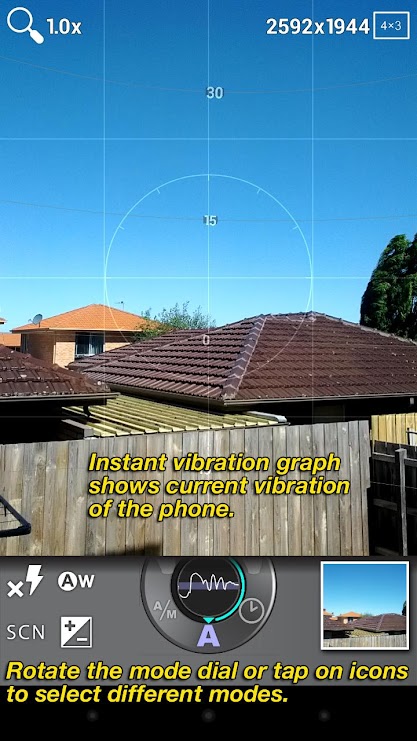
* Full auto mode uses information from gyroscope to detect the vibration of the phone and automatically choose the best moment to take the picture, in order to reduce the chance of producing blurry images. Since there's no need to press any button when you take a picture, you are able to operate this app with only one hand, which which gives you more flexibility and convenience.
* Version 1.5 added video recording! Unlike standard video recording feature provided by the system app, PerfectShot video mode even allow you to adjust camera parameters while the recording is in progress!! Zoom in/out, exposure compensation, focus & exposure area, white balance, color effect are all changeable while recording! This gives you endless possibilities!
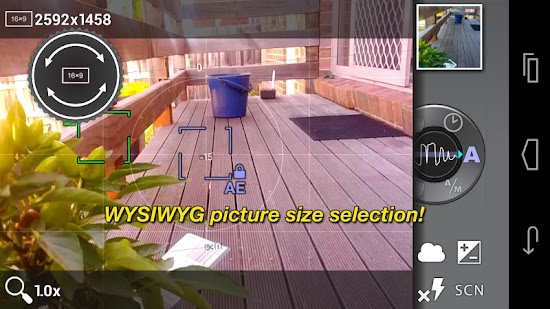
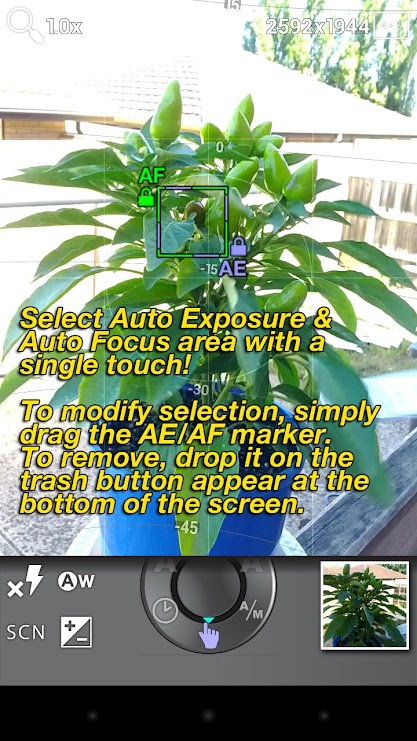
* Support auto exposure and auto focus area selection, which enables you to focus and exposure on selected object in your view. (This feature works on supported ICS devices only because not all phones support focus and metering selection)
* Able to separate AE & AF area selection, which means exposure on one area but focus on another. This is perfect for shooting in complex lighting environment (low light, indoor, stage...) and achieving creative exposure effects like silhouette.
* Using AR (augmented reality) techniques, focus & metering area selection are able to follow the object you selected. Which means after your focus area selection for example, you can then move your camera to recompose the scene without needing to select the focus area again. Because the focus area will stay with the object while you turn your phone.
* Virtual horizon lines in view finder that not only show you the tilt, but also the pitch angle of the camera. So you can be sure that your photo is perfectly level even when you are looking up or down.
* Extreme optimisation provide fast startup time that is on par with the ICS native camera app, as well as a minimum apk size. This means you will be ready to shoot quicker. The app also seamlessly integrate into Android intent system so you can set it to take over the system camera request and even start it from lock screen. Photos taken by PerfectShot are saved in system gallery so you can browse, send, share and edit images with methods you are already familiar with.
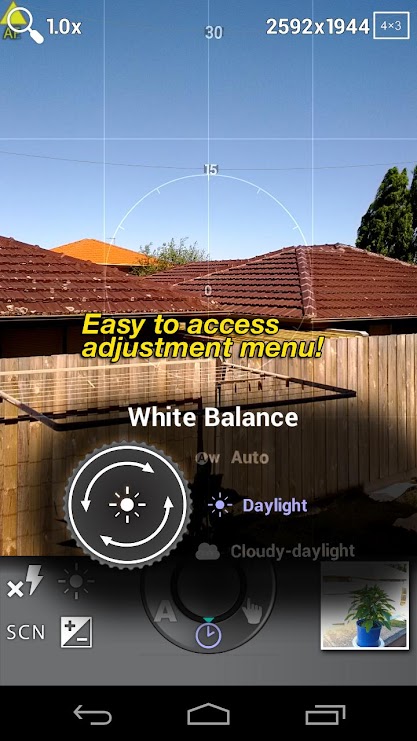
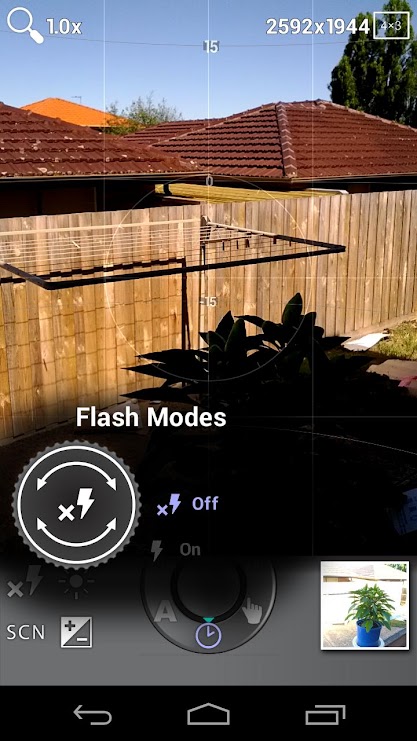
* Innovative UI design that helps you change settings swiftly and accurately. eg. AE/AF area selection takes only one touch. Most adjustments are operated through a virtual dial, a single touch and slide is enough to change any parameters within the app.
Apps Details -Price: $1.23 -Version: 1.7.5 -Size: 973 KB -Required android: 2.3 and up -Developer: Idea Matters
Description PerfectShot is a camera application that focus on features that help you improve your photos BEFORE they are taken rather than after. By providing you the most advanced assistances, PerfectShot helps you eliminate chances of imperfect shots and improve your efficiency so you are able to take better shots and have better chance of capturing precious moments. Users' reviews:
Toni Ostarcevic Should be standard with any good camera. No more blurry, fuzzy images. Is worth much more than it costs!
Joel Candy Looks like this is the Camera app I will be using from now on! Works excellent. It has all the functionalities other camera app provides plus tons of improvements and revolutionary feature!
* Full auto mode uses information from gyroscope to detect the vibration of the phone and automatically choose the best moment to take the picture, in order to reduce the chance of producing blurry images. Since there's no need to press any button when you take a picture, you are able to operate this app with only one hand, which which gives you more flexibility and convenience.
* Version 1.5 added video recording! Unlike standard video recording feature provided by the system app, PerfectShot video mode even allow you to adjust camera parameters while the recording is in progress!! Zoom in/out, exposure compensation, focus & exposure area, white balance, color effect are all changeable while recording! This gives you endless possibilities!
* Support auto exposure and auto focus area selection, which enables you to focus and exposure on selected object in your view. (This feature works on supported ICS devices only because not all phones support focus and metering selection)
* Able to separate AE & AF area selection, which means exposure on one area but focus on another. This is perfect for shooting in complex lighting environment (low light, indoor, stage...) and achieving creative exposure effects like silhouette.
* Using AR (augmented reality) techniques, focus & metering area selection are able to follow the object you selected. Which means after your focus area selection for example, you can then move your camera to recompose the scene without needing to select the focus area again. Because the focus area will stay with the object while you turn your phone.
* Virtual horizon lines in view finder that not only show you the tilt, but also the pitch angle of the camera. So you can be sure that your photo is perfectly level even when you are looking up or down.
* Extreme optimisation provide fast startup time that is on par with the ICS native camera app, as well as a minimum apk size. This means you will be ready to shoot quicker. The app also seamlessly integrate into Android intent system so you can set it to take over the system camera request and even start it from lock screen. Photos taken by PerfectShot are saved in system gallery so you can browse, send, share and edit images with methods you are already familiar with.
* Innovative UI design that helps you change settings swiftly and accurately. eg. AE/AF area selection takes only one touch. Most adjustments are operated through a virtual dial, a single touch and slide is enough to change any parameters within the app.
Apps Details -Price: $1.23 -Version: 1.7.2 -Size: 973 KB -Required android: 2.3 and up -Developer: Idea Matters
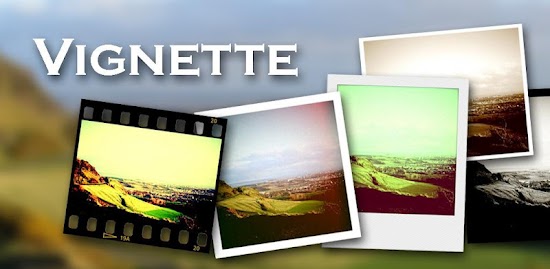
Description "Vignette is AMAZING. @neilgaiman introduced me to it." - Wil Wheaton (@wilw) Use more than 70 customisable filters and 50 frames in any combination to create many photo effects. Vignette is also a full-featured camera application, featuring digital zoom, time-lapse, self-timer and more.
Please note we can provide support in English only.
• Retro/vintage styles • LOMO/Diana/Holga toy camera styles • Polaroid/instant camera styles • Cross-process, duotone, charcoal, tilt-shift and much more • Photo-booth and double-exposure • New: Touch to focus • New: Share your personalised saved effects with other Vignette users • Take pictures at your camera’s full resolution, even with effect (paid version only) • Use the flash and front-facing cameras on most devices • Self-timer, time-lapse and steady-shot modes • Digital 10× zoom • New: 21× optical zoom on Samsung Galaxy Camera EK-GC100 • Store location data in pictures (geotag) • Use the volume rocker as a shutter button • Edit imported photos • On-screen controls for exposure, zoom, flash and switching camera • Launch from the lock screen in Android 4.0+ • Remote shutter with Bluetooth remote, wired headset or Sony Ericsson LiveView • Time- and date-stamp pictures • Rule-of-thirds and golden ratio composition guides • Optimised for taking pictures underwater • Share pictures via third-party apps
Vignette does not require an internet connection to process pictures like some apps, and does not upload your pictures to a central server like Instagram. Your pictures do not leave your device until you choose to share them. Apps Details -Price: $2.30 -Version: 2013.04.1 -Size: 223 KB -Required android: 1.5 and Up -Developer: Neilandtheresa
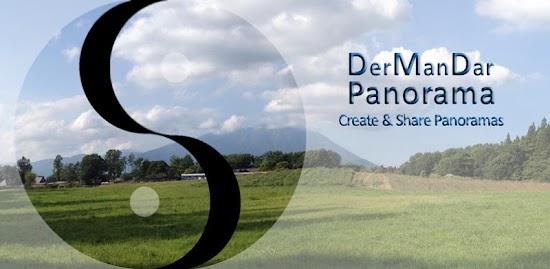
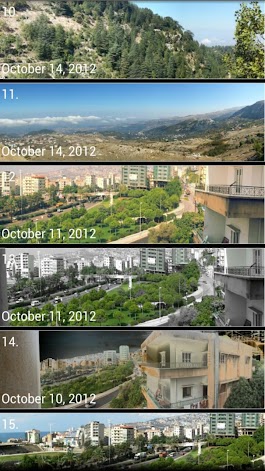
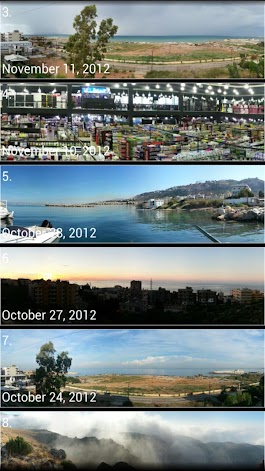
Description "The easiest-to-use panoramic picture app" - The Wall-Street Journal. "A 360-degree shot in about 20 seconds" - Business Insider. "I was definitely impressed" - Techcrunch. Create and share panoramic images blazingly quick with a fully automated capture system.
Features: - Fully automated capture system - Blazing fast stitching, see the results in no time - Immersive 3D viewer, pinch or double tap to zoom, autoplay... - Full 360 panoramas - Panorama sharing on Facebook, Twitter, email, etc...
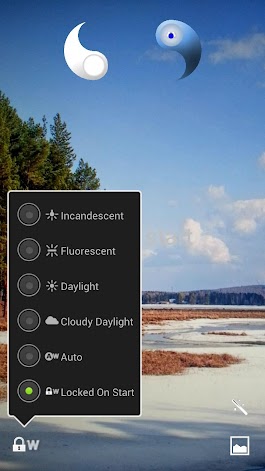
Quick-start guide: - Hold the device in portrait mode and avoid tilting it (straight vertical !) - Tap the screen - Rotate the device to the left or right - When the two shapes on top form a circle, an image will be taken automatically - Keep rotating the device in the chosen direction - Tap the screen again or put the device in landscape orientation to stitch and view the panorama Apps Details -Price: Free -Version: 2.0.7 -Size: 2.5 MB -Required android: 2.3 and Up -Developer: DerManDar Limited
Description Camera360 is one of best camera apps favored by over 90 million users all over the world with fantastic Filters to make gorgeous photos.
All good suggestion from Camera360’s fans is highly appreciated and considered by us. It has been more than 3 months to improve and now I am happy to claim the totally new update of Camera360. In the new v4.0, you will see brand new UI, optimized UE, easy switch between Effects and Scenes, 6 shooting mode, quicker response, zero-shutter and much much more. Now Chinese, Traditional Chinese, English and Thai are supported. There will be more languages supportive.
Features #Six Shooting Modes# Effects, Self-shoot, Fast-shoot, Funny, Tilt-shift, Color-shift, such 6 photography modes make any photograph fantastic.
#Numerous beautiful Effects# Apply the third generation photo processing engine, make Effects clearer and better, and bring you beyond thrilling photographing experience like never before.
#Interesting Scenes# More and bigger Scenes to decorate photo bring you more surprises and make photography interesting.
#Cloud Service# (2000 px at maximum upload supported) Safe, lifelong and private, Camera360 Cloud provides you a safe and smart platform for photo browse, manage, edit and share.
#Easy Share# Easily share your stylish photos with the world by Facebook, Twitter and more. Special thanks goes to all users who select Camera360 and continuously support us. As Android OS and device varies a lot and it is difficult to make Camera360 work perfectly on everyone’s device. Please feel free to contact us at support@pinguo.us if there is anything we can do for you. Each of your problem and suggestion is highly appreciated and registered by us. We can not guarantee they will end up part of reality in future version of Camera360, but we are always trying to make Camera360 better and better. Please write to us before you rate us low if you run into any problem. We will try to reach back to you as soon as we can. Thank you. Apps Details -Price: Free -Version: 4.1.1 -Size: 7.2 MB -Required android: 2.2 and Up -Developer: PinGuo Inc.
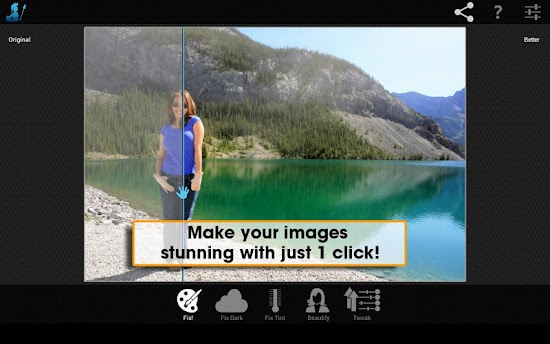
Description Intelligent Image Correction Perfectly Clear is Intelligent Image Correction that makes your memories look the best they can be with 1 click. Perfectly Clear is the industry leader in Automatic Image Correction, currently correcting over 20 million images each day for our licensees! Camera phones typically lack the quality and sophistication that dedicated cameras have and often leave you with dull looking photos. Perfectly Clear automatically corrects these images and turns them into stunning memories for years to come. Now there is an intelligent way to automatically correct your photos anywhere, anytime on your Android phone or tablet.
With the new completely redesigned interface little effort is required to create and then share beautiful looking images with this fun-to-use app. Watch as Perfectly Clear automatically peels off your original photo to reveal a vibrant, color corrected photo with crisp details you couldn’t see in your original. For too-dark images, try the "Fix Dark" preset. For beautiful portraits, give "Beautify" a try. Want more than automatic? Perfectly Clear lets you use our 10 patented corrections to further customize your image the with the use of easy, intuitive sliders.
Our revolutionary "Beautify" preset will make skin smooth and gorgeous, eyes sparkle, and you can even try the eye enlargement and teeth whitening features.
New in V1.5: Completely new and more easy to understand UI, it’s now twice as fast opening and correcting images; fine tuning with the slider bars is also close to real-time. We've removed the in-app purchase for Beautify, it's now included in the app. We’ve added the ability to use very large images - how about correcting a 40mp photo on your mobile device? We’ve added the ability to use the app offline, to copy the app to your SD card as well. Perfectly Clear also retains all your Exif, and lets you correct multiple images at once. We've also added the ability to pinch-zoom your images within Perfectly Clear, now you can see your corrections up close. Apps Details -Price: $2.79 -Version: 1.5.3 -Size: 27 MB -Required android: 2.3.3 and Up -Developer: Athentech
Description A Fast HDR camera experience with regular updates and new features added all the time. Snap Camera lets you take pictures and record video with a single click, no cluttered preview screen, just the two buttons you really need.
Snap Camera's interface is based on the camera included in Android 4.2 (jelly bean) on the Nexus 4 but with many extra features. If you want to test this camera before buying, please install the trial version.. The trial version has all the features of the paid app but will only start in Airplane mode.
Snap Camera has a simple, powerful user interface featuring: * Touch to focus * Pinch to zoom * Swipe to review * Long press to adjust photo settings with the photo controller.
The photo controller includes settings for: * Colour and Contrast (if supported by the hardware). * Silent Shutter * Burst Mode * Self Timer * Panorama mode * Flash mode * Whitebalance * Exposure * Grid lines * Fast picture mode * HDR * Additional Settings
The additional settings menu gives you access to many extra settings.
* Picture and Video Size * Scene mode * Self Timer delay * Burst Mode settings * Time Lapse * Still and Video Focus Modes * JPEG Quality * Effects * ISO * Anti-banding * Scene Detection * Video Bitrate * Audio Settings
Additional Features - You can see what effects will be applied and undo an effect at any time from the history menu - Share an image with any other app such as Facebook or Google+ by clicking on the share icon - Create panoramas by selecting the panorama icon (Android 4.0 and above) - Fast picture mode instantly captures photos at the preview resolution. - Capture still snapshots during video recording (if supported) - Use the volume buttons to focus and take a picture - Auto torch mode for low light video recording - The interface can be changed for left-handed users - Use the advanced video settings to record video in resolutions not allowed by other cameras. For example, this gives you 720p video recording on the Nexus 7. Apps Details -Price: $1.33 -Version: 3.1.6 -Size: 5.2 MB -Required android: 2.3.3 and Up -Developer: Marginz Software
Description Cymera is simply the best camera application for portraits. It has everything you need in a camera and photo editor to help you capture and create photos worth awards.
It offers a huge variety of lenses and shooting modes, hand-picked filters and the best beauty effects, run through our own face detection technology.
All of this plus more than 800 decoration options and the most amazing collage effects.
Our All-in-One features include: ■ Powerful Camera - 7 camera lenses inspired on the famous DSLR cameras - Out of Focus, Anti-Shake, Timer, Self-Portrait, Touch Shots and other shooting modes to help you get the best out of your capturing experience.
■ Hand-picked Filters and Borders - More than 20 carefully selected filters to bring different emotions to your photos. Adjust the light and intensity of the filters individually. Add one of our 20+ borders and light filters to give your photos a completely different feel.
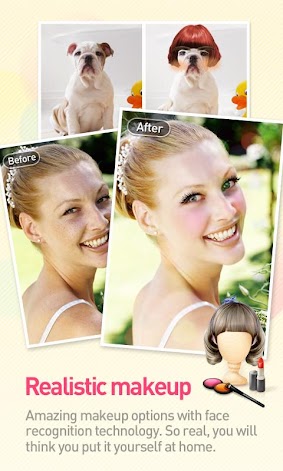
■ Amazing Beautifying Effects - Big Eyes, Smile, Slim Face, Clear Spots, Liquify, Brighten and more options to help you make the most beautiful portraits. - No more zooming in and out and doing things manually! Our face detection technology allows Cymera to locate every trait of your face and know exactly where to add the effect. - We have compiled over 70 different realistic hair and makeup items to help you complement your looks. Truly the best beautifying effects in the market!
■ Storytelling Collage - One picture is not enough. Make photo stories with our multiple collage options. - Cymera offers diverse fixed and freestyle collage layouts plus really beautiful backgrounds and editing functions that will help you have the best collage experience.
■ Fun Decorations - Over 800 decoration options that include: stickers, comic masks, frames and more. All free. - A beautiful variety or brushes with different colors, lines, patterns and shapes to help you express yourself and make unique photo decorations.
■ “Oldies but Goodies” Editing Functions - Cymera offers all the other complementary editing functions such as rotation, cropping, auto level, brightness, contrast, saturation, sharpening and more to enhance the quality and versatility or your photos. All in a simple and easy to use interface.
■ Sharing - Share with your friends on Facebook, Twitter, Mixi and Weibo
■ Language Support Cymera offers language support for: English, Spanish, German, Japanese, Korean and Chinese (Traditional and simplified)
■ Awards Awarded the “Certificate of Merit” at the 2012 Asia Smartphone Apps Contest for the Creative Lifestyle category. Apps Details -Price: Free -Version: 1.3.4 -Size: 87 MB -Required android: 2.0.1 and Up -Developer: SK Communications
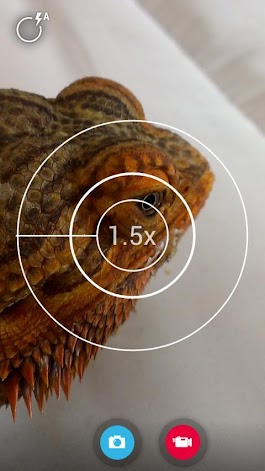
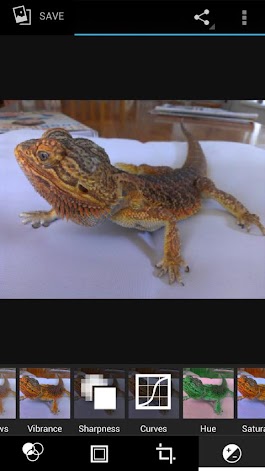
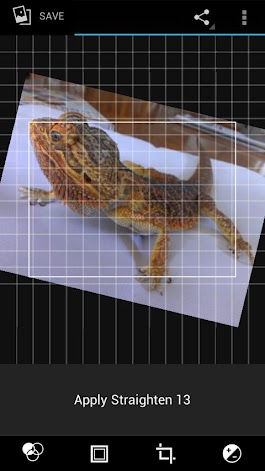
Description Camera JB+ is the ultimate camera & gallery app based on the latest version of Android Jelly Bean (Android 4.2). It also includes a complete photo editor that lets you retouch the pictures in a very simple way.
FEATURES ● CAMERA: - 3 modes: camera, video recorder & panorama - Silent mode (no shutter sound, might not work on some devices) - Pinch to zoom - Configurable volume keys - Wide screen pictures - Picture quality setting (low/medium/high/ultra) - Configurable storage source (Internal/SD card) - Timer - Burst mode - Guidelines - Video/Audio quality configurable - More cool features soon .
● PHOTO EDITOR: - High quality photo editing - New filters and borders
FAQ ● How can I view the latest photos/videos taken? Slide the viewfinder from right to left to quickly access the gallery/filmstrip view. You can quickly delete photos you do not like dragging the unwanted picture up or down. ● Where can I change the camera settings? You can access this mode by pressing the button on the bottom right or also with a long press on the camera viewfinder ● Why have you taken so long to upgrade to last Jelly Bean 4.2 camera version? This new version has been completely redesigned from the previous version. We have worked hard to ensure compatibility with most Android devices. ● Why Photo Sphere is not included within the app? Unfortunately this part of the code is not open source and can not be included within the application. Apps Details -Price: $2.49 -Version: 2.0.1 -Size: 8.4 MB -Required android: 4.0.3 and Up -Developer: Moblynx